Running a single container is easy. Running five containers with networking, volumes, environment variables, and startup order is tedious. Docker Compose lets you define it all in one file and run everything with a single command.
Code for this chapter. See 07-compose.
What is Docker Compose?
Docker Compose is a tool for defining and running multi-container applications. You
describe your services in a docker-compose.yml file, and Compose handles:
- Building images
- Creating networks
- Creating volumes
- Starting containers in the right order
- Managing the whole application as a unit
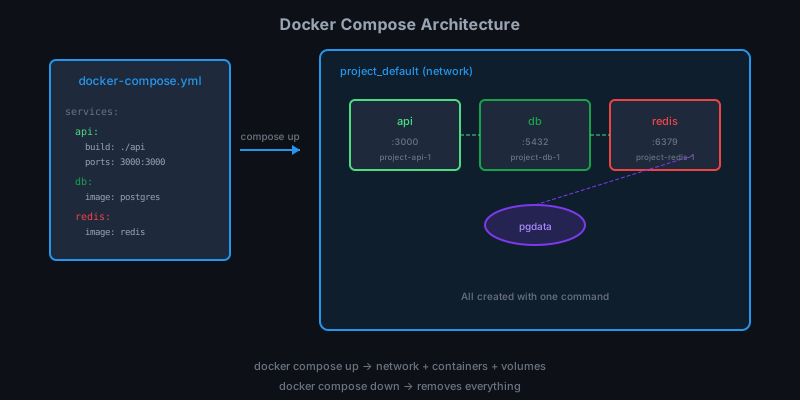
One file replaces a dozen docker run commands.
A simple example
Let’s start with a web app and Redis:
# docker-compose.yml
services:
  web:
    build: .
    ports:
      - "5000:5000"
    environment:
      - REDIS_HOST=redis
    depends_on:
      - redis

  redis:
    image: redis:7-alpine
Save this as docker-compose.yml. In the same directory, run:
docker compose up
Compose:
- Creates a network (default:
dirname_default) - Pulls the
redis:7-alpineimage - Builds the
webservice from the Dockerfile in. - Starts both containers, redis first (because of
depends_on) - Shows combined logs from both services
Press Ctrl+C to stop. Or run detached:
docker compose up -d
The docker-compose.yml structure
services:
  service-name:
    # Service definition

volumes:
  volume-name:
    # Volume configuration

networks:
  network-name:
    # Network configuration
Only services is required. Let’s look at service options.
Service configuration
Image vs build
Use an existing image:
services:
  db:
    image: postgres:16-alpine
Or build from a Dockerfile:
services:
  api:
    build: ./api
More build options:
services:
  api:
    build:
      context: ./api
      dockerfile: Dockerfile.prod
      args:
        - NODE_ENV=production
Ports
Publish container ports to the host:
services:
  web:
    ports:
      - "8080:80"      # host:container
      - "3000"         # random host port
      - "127.0.0.1:8080:80"  # bind to localhost only
Environment variables
Inline:
services:
  api:
    environment:
      - NODE_ENV=production
      - DB_HOST=db
      - DB_PASSWORD=secret
From a file:
services:
  api:
    env_file:
      - .env
      - .env.local
Volumes
Named volumes and bind mounts:
services:
  db:
    volumes:
      - pgdata:/var/lib/postgresql/data     # named volume
      - ./init.sql:/docker-entrypoint-initdb.d/init.sql  # bind mount

volumes:
  pgdata:  # declare the named volume
Dependencies
Control startup order:
services:
  api:
    depends_on:
      - db
      - redis
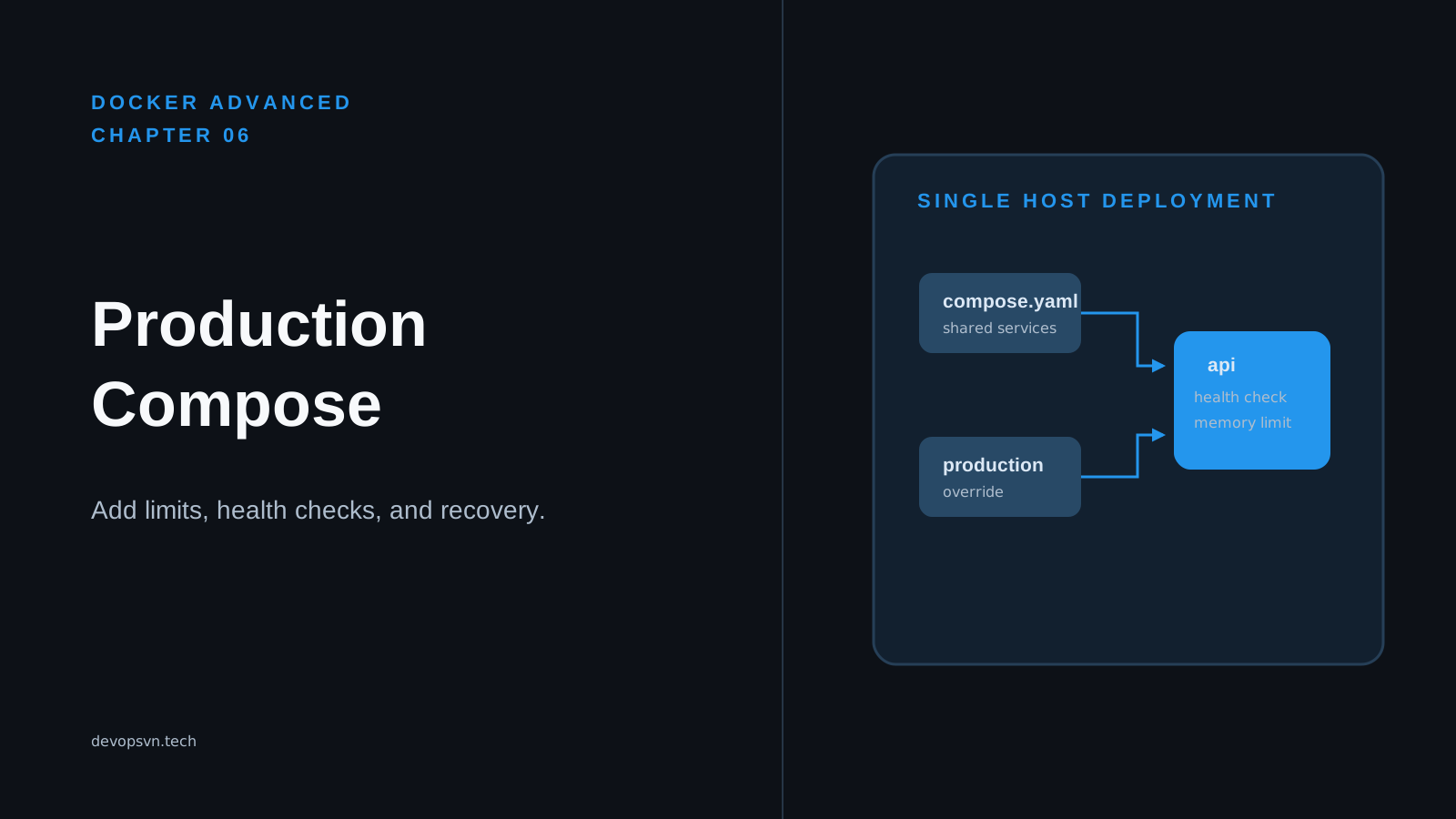
This starts db and redis before api. But it doesn’t wait for them to be
ready — just started. For true readiness, use health checks:
services:
  api:
    depends_on:
      db:
        condition: service_healthy

  db:
    image: postgres:16-alpine
    healthcheck:
      test: ["CMD-SHELL", "pg_isready -U postgres"]
      interval: 5s
      timeout: 5s
      retries: 5
Now api waits until db passes its health check.
Restart policies
services:
  api:
    restart: unless-stopped
Options: no, always, on-failure, unless-stopped.
Resource limits
services:
  api:
    deploy:
      resources:
        limits:
          cpus: '0.5'
          memory: 512M
        reservations:
          memory: 256M
Networks
By default, Compose creates one network for all services. They find each other by service name:
services:
  api:
    environment:
      - DB_HOST=db    # "db" resolves to the db service

  db:
    image: postgres:16-alpine
Create custom networks for isolation:
services:
  frontend:
    networks:
      - frontend

  api:
    networks:
      - frontend
      - backend

  db:
    networks:
      - backend

networks:
  frontend:
  backend:
Now frontend can reach api but not db. api bridges both networks.
Essential commands
Start services
# Foreground (Ctrl+C to stop)
docker compose up

# Detached (background)
docker compose up -d

# Rebuild images before starting
docker compose up --build
Stop services
# Stop and remove containers
docker compose down

# Also remove volumes
docker compose down -v

# Also remove images
docker compose down --rmi all
View status
docker compose ps
View logs
# All services
docker compose logs

# Specific service
docker compose logs api

# Follow
docker compose logs -f

# Last 100 lines
docker compose logs --tail 100
Execute commands
docker compose exec api bash
docker compose exec db psql -U postgres
Run one-off commands
# Run in a new container
docker compose run api npm test

# Run and remove container after
docker compose run --rm api npm test
Scale services
docker compose up -d --scale worker=3
This starts 3 instances of the worker service.
Restart
docker compose restart
docker compose restart api
Development workflow
Here’s a typical development setup:
services:
  api:
    build: ./api
    volumes:
      - ./api/src:/app/src        # Live code sync
      - /app/node_modules         # Preserve container's node_modules
    ports:
      - "3000:3000"
    environment:
      - NODE_ENV=development
    command: npm run dev          # Override CMD for dev

  db:
    image: postgres:16-alpine
    environment:
      - POSTGRES_PASSWORD=dev
    ports:
      - "5432:5432"               # Expose for local tools
    volumes:
      - pgdata:/var/lib/postgresql/data

volumes:
  pgdata:
Start development:
docker compose up
Edit code on your host. Changes sync to the container via bind mount. Hot reload picks them up.
Complete example
Here’s the Task App from this series:
services:
  db:
    image: postgres:16-alpine
    environment:
      POSTGRES_DB: taskdb
      POSTGRES_USER: taskuser
      POSTGRES_PASSWORD: taskpass
    volumes:
      - postgres_data:/var/lib/postgresql/data
    healthcheck:
      test: ["CMD-SHELL", "pg_isready -U taskuser -d taskdb"]
      interval: 5s
      timeout: 5s
      retries: 5

  redis:
    image: redis:7-alpine
    healthcheck:
      test: ["CMD", "redis-cli", "ping"]
      interval: 5s
      timeout: 5s
      retries: 5

  api:
    build: ./api
    ports:
      - "3000:3000"
    environment:
      DB_HOST: db
      DB_PORT: 5432
      DB_NAME: taskdb
      DB_USER: taskuser
      DB_PASSWORD: taskpass
      REDIS_HOST: redis
    depends_on:
      db:
        condition: service_healthy
      redis:
        condition: service_healthy
    restart: unless-stopped

  worker:
    build: ./worker
    environment:
      REDIS_HOST: redis
    depends_on:
      redis:
        condition: service_healthy
    restart: unless-stopped

volumes:
  postgres_data:
One command brings up the entire stack:
docker compose up -d
Test it:
curl -X POST http://localhost:3000/tasks \
  -H "Content-Type: application/json" \
  -d '{"title": "Learn Docker Compose"}'

docker compose logs -f worker
Summary
- Docker Compose defines multi-container apps in YAML.
docker compose upstarts everything;docker compose downstops it.- Services find each other by name via DNS.
- Use health checks with
depends_onconditions for proper startup order. - Bind mounts + command overrides enable development workflows.
In the final chapter we’ll put everything together, review best practices, and discuss production considerations.