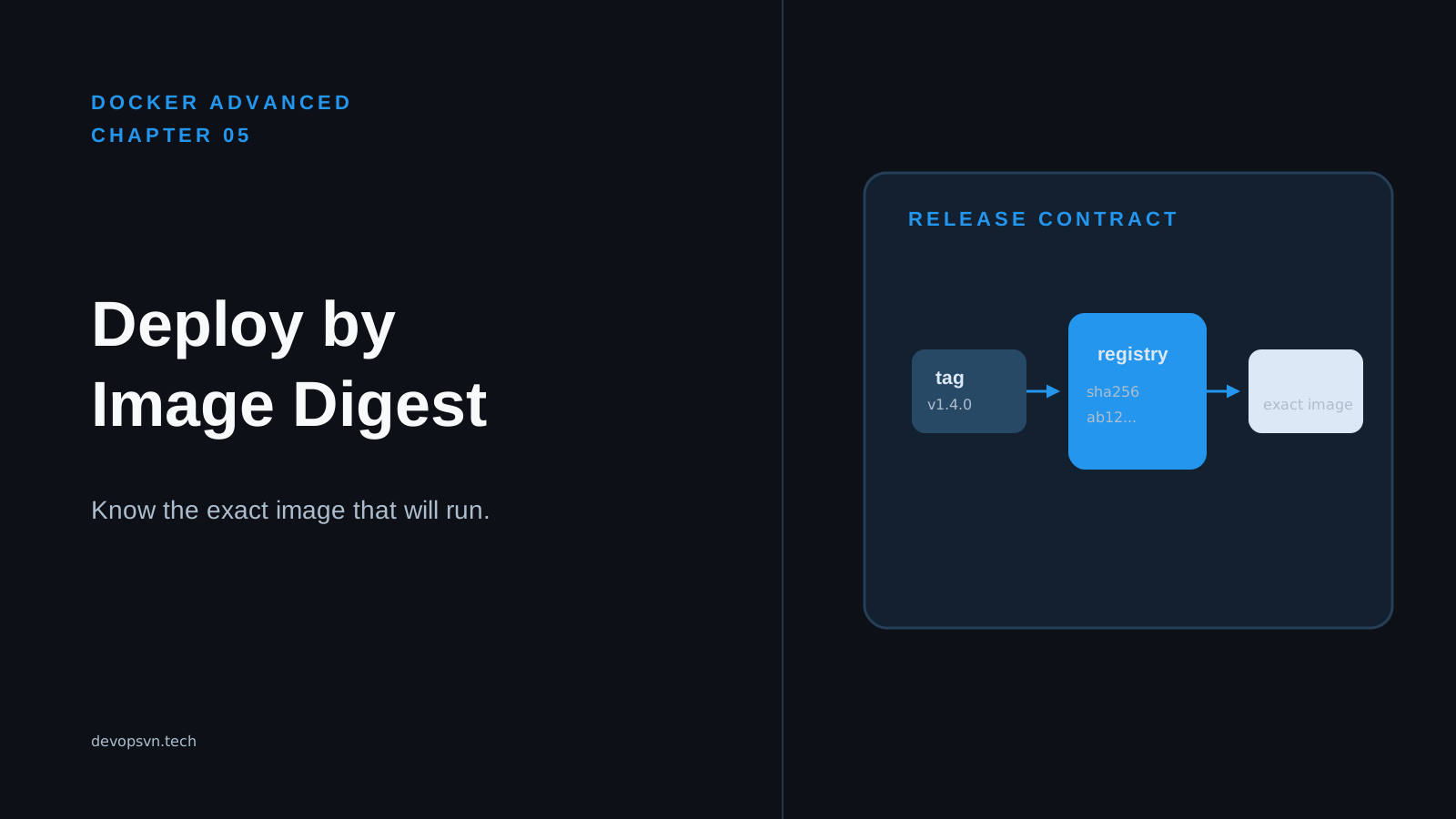
An image tag such as task-api:1.4.0 can be moved when another image is pushed under the same name. A deployment that still says 1.4.0 can then make a replacement node pull different application code. This breaks the release contract because the deployment reference no longer identifies one immutable artifact.
A registry gives teams a place to publish images, but the name on an image has more than one job. In this chapter, you will publish a versioned tag, resolve the registry digest behind it, and put that digest in the deployment configuration. You will also learn which identity needs registry access, why deleting old images can break rollback, and how to diagnose a deployment that can no longer pull a digest.
Code for this chapter. The complete deployment configuration is in 05-registries-and-tags.
Start with the delivery contract
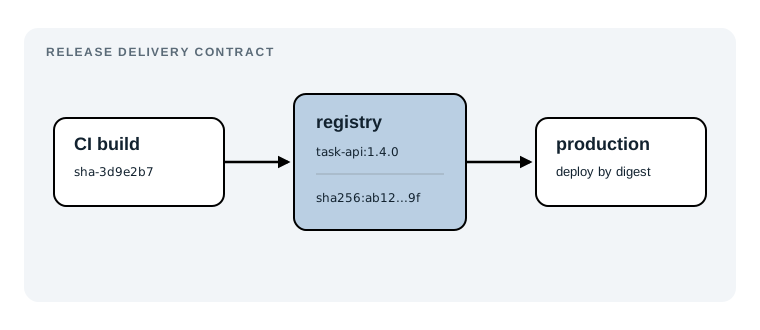
The checked-in Compose file is the end of this workflow:
services:
  api:
    image: ghcr.io/acme/task-api@sha256:replace-with-release-digest
The text after @ must be replaced with the full digest for one published release. It is not an image that Docker can pull unchanged; replace-with-release-digest is a visible reminder to obtain the value from the registry during release delivery.
From the repository root, render the example before changing it:
docker compose -f _resource/docker-advanced/05-registries-and-tags/compose.yaml config
Docker should print the api service and its image value. docker compose config parses and normalizes the YAML but does not pull the image, so it is a useful validation even when ghcr.io/acme is only an example namespace. After you replace the placeholder in your deployment copy, run the same command again. The rendered image must have this shape:
ghcr.io/your-account/task-api@sha256:<64 hexadecimal characters>
That reference is the contract production receives. The following sections define the registry identities and release steps that produce it.
Name the four parts of an image reference
Take this release reference:
ghcr.io/your-account/task-api:1.4.0
A registry is the server that stores and distributes images. Here, ghcr.io is GitHub Container Registry. A registry can be public or private; it is where Docker looks when an image is not already present locally.
A repository is one named collection of images inside a registry. your-account/task-api is the repository. Teams usually make one repository per deployable service, then grant access to that repository or its namespace.
A tag is a readable label attached to an image in that repository. 1.4.0 is the tag. It helps humans select a release and works well in release notes, but it is mutable: a later push is allowed to move 1.4.0 to different content unless the registry has a tag-immutability rule.
A digest is a content-addressed sha256 identifier published by the registry, such as sha256:8d4f.... It identifies the manifest Docker will pull. A deployment reference combines the repository and digest:
ghcr.io/your-account/task-api@sha256:8d4f...
Tags are useful inputs to a delivery process. Digests are useful outputs because a given digest does not silently move to another manifest. The short digest above is only an illustration; always copy the full value returned by the registry.
Publish a versioned release tag
Choose a repository you control and a tag that identifies the release. The following commands continue the multi-platform workflow from the previous chapter, but work equally well for a single-platform image when you omit --platform:
export IMAGE=ghcr.io/your-account/task-api
export TAG=1.4.0

docker login ghcr.io
docker buildx build \
  --platform linux/amd64,linux/arm64 \
  --tag "$IMAGE:$TAG" \
  --push .
Run the commands from the directory containing the Dockerfile and build context. docker login authenticates the publisher. It stores credentials locally for Docker to use; in CI, provide a short-lived or scoped token through the CI secret store and pipe it to docker login --password-stdin instead of placing it in a script.
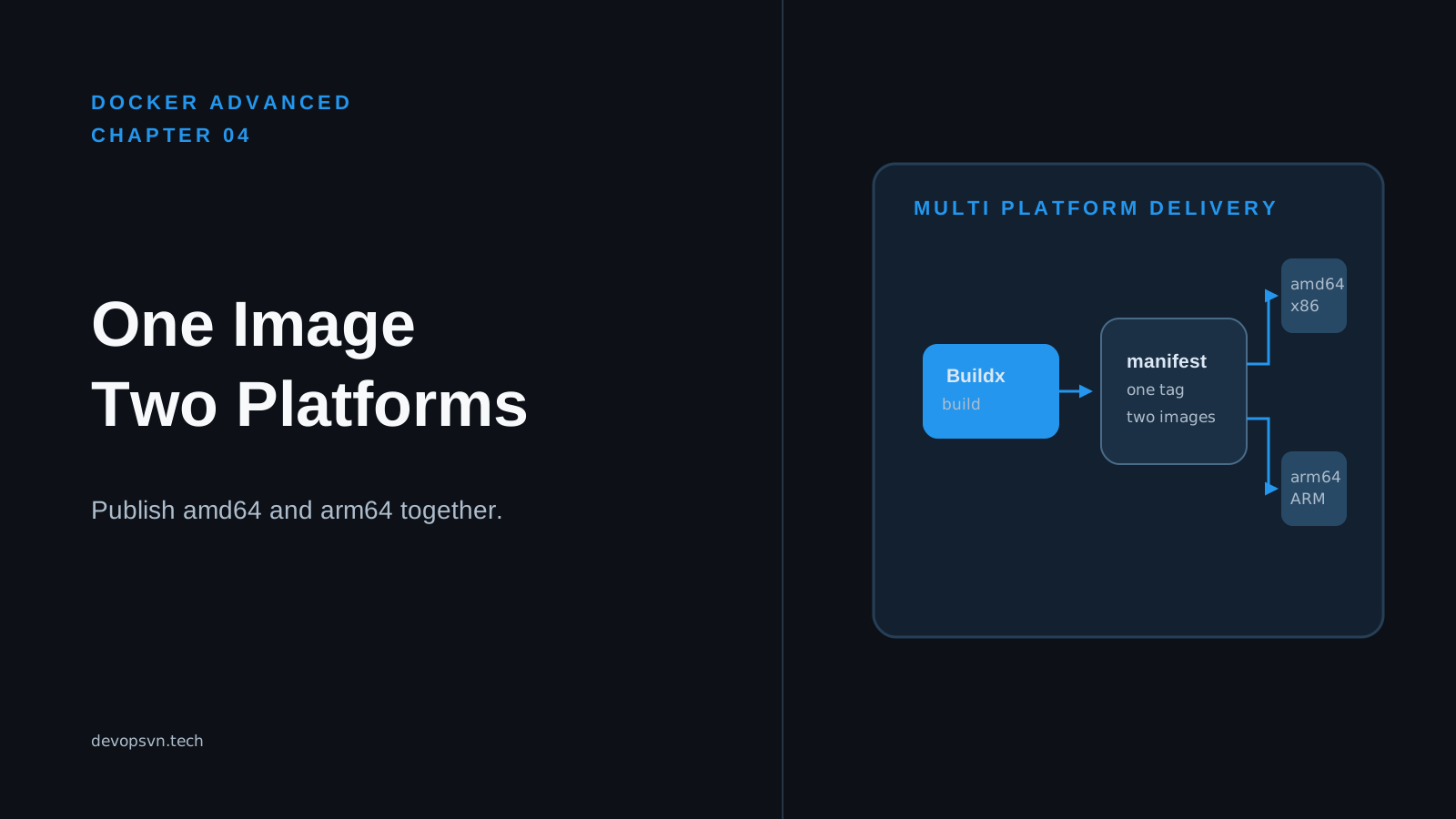
docker buildx build --push uploads the platform image manifests and their layers, then publishes the tag. The expected build output ends with a manifest push and no denied or unauthorized error. In the multi-platform case, the tag points to an image index that selects AMD64 or ARM64 for the host, as Chapter 4 showed.
The account running CI needs permission to push to your-account/task-api. That permission is separate from the identity that later starts the application. Keep it that way: a deployment runtime usually needs only permission to pull a particular repository, not permission to replace release tags.
Warning: Do not use
latestas the release tag you promote. It is a convention, not a version, and it is normally moved on every new push. A versioned tag can also be overwritten, so it still does not replace the digest in the deployment manifest.
Resolve the tag to its digest
After the push succeeds, ask the registry what digest the tag now resolves to:
export RELEASE_DIGEST="$(docker buildx imagetools inspect "$IMAGE:$TAG" --format '{{.Digest}}')"
printf '%s\n' "$RELEASE_DIGEST"
docker buildx imagetools inspect reads remote image metadata. Its --format option returns the digest, and the command stores that exact string in RELEASE_DIGEST. Expect one line beginning with sha256: followed by 64 hexadecimal characters. Save this value as a release artifact or deployment variable alongside the tag and the source revision that produced it.
Inspect the tag once more before releasing:
docker buildx imagetools inspect "$IMAGE:$TAG"
For a multi-platform release, expect descriptors for both linux/amd64 and linux/arm64. This check confirms two things at once: the registry has the tag and its digest, and the tag points to the platform variants you intend to support. If it shows only one platform, stop before updating production and fix the build command or builder.
This resolution step must happen after the final push. Resolving a tag before an upload finishes, then deploying the value you guessed from a local image ID, does not prove what the registry accepted. The remote registry is the authority for the digest production will pull.
Deploy the resolved digest
In a copy of the resource’s compose.yaml that belongs to your deployment repository, replace the placeholder with the release digest:
services:
  api:
    image: ghcr.io/your-account/task-api@sha256:8d4f...full-release-digest...
Use the actual full value from RELEASE_DIGEST; the abbreviated text above is not valid. Then render the final configuration:
docker compose -f compose.yaml config
The image output should contain @sha256: and the full digest, with no tag. This verifies the configuration Docker will create. When Docker starts the service, it requests that manifest by digest. If a later push moves task-api:1.4.0, a replacement container using the digest reference still pulls the original manifest. Docker may reuse cached layers, but it will not substitute a different manifest merely because a familiar tag changed.
The host or orchestrator that pulls the image needs read access when the repository is private. For Docker Compose, authenticate Docker on the deployment host using a credential that can pull this repository. For a managed platform, attach its registry pull identity or image-pull secret. The application process should not receive the registry token. Registry authentication is a distribution boundary before the container starts, not an application environment variable.
There is a local-development tradeoff. Tagging an image as task-api:dev and running it locally is fast and convenient because you can rebuild it repeatedly. Production needs a record of exact content and a reliable rollback target, so a digest reference is worth the extra release step.
Keep rollback digests available
Imagine release 1.4.0 causes an error under real traffic. A rollback is straightforward when the previous deployment recorded its digest: change the deployment reference back to that earlier @sha256:... value and deploy it. You do not need to rebuild the old source or hope that an old tag still points to the same content.
This only works while the registry retains the manifest and every layer it needs. Registry cleanup policies often remove untagged manifests after a short period. Some registries preserve a digest while a tag points at it; others can remove content after tags move or retention rules expire. The exact behavior is registry-specific, so test the policy with a non-production repository rather than assuming a digest alone prevents deletion.
Keep a release record with the version tag, full digest, source revision, publication time, and supported platforms. Configure retention to keep the digests required by your rollback window, then clean up older content deliberately. Keeping every image forever wastes storage and makes a registry harder to navigate. Deleting every untagged image immediately makes rollback depend on rebuilding old code under today’s dependencies. The useful middle ground is a documented retention period that matches how long you promise to support a rollback.
Diagnose a digest that will not pull
The failure usually appears after a deployment or scale-out, not when someone edited the Compose file:
manifest unknown: manifest unknown
Suppose the release record contains a digest that worked last month, but a new host now reports this error. First, inspect that exact remote reference from a machine with registry read access:
docker buildx imagetools inspect \
  ghcr.io/your-account/task-api@sha256:your-recorded-release-digest
If Docker returns manifest unknown, the registry no longer has that manifest. Check the repository’s retention and deletion history, then choose a retained earlier digest or rebuild the release from its recorded source revision. Rebuilding is a recovery path, not an identical rollback unless the build is reproducible and its inputs are still available.
If the command reports unauthorized or denied instead, the digest may still exist but the current machine lacks pull permission. Log in with a read-only credential that has access to the repository, or correct the deployment platform’s pull identity. Do not respond by giving the running application a registry token; it cannot help Docker pull the image before the container exists.
Finally, compare the digest in the deployment file with the digest returned for the intended tag. A copied digest from the wrong repository, a truncated value, or an image index digest confused with an architecture-specific manifest can all produce a pull failure. For a multi-platform deployment, use the top-level digest returned for the published tag so each host can still select its matching platform variant.
Summary
- A registry stores images, a repository groups one service’s images, a tag is a mutable release label, and a digest identifies published content.
- Publish a versioned tag first, then use
docker buildx imagetools inspectto record the digest the registry actually accepted. - Deploy
repository@sha256:..., not a tag, so a later tag push cannot change the manifest a replacement container pulls. - Separate CI push permission from deployment pull permission, and keep registry credentials outside the running application.
- Retain release digests for the rollback window; a deleted manifest turns a digest rollback into a rebuild-and-recover exercise.
Chapter 6 will use this immutable image reference in a production Compose deployment, where service configuration, health checks, and restart behavior become part of the release contract.