In this part we’ll learn about a very important topic: security in Terraform. How do we manage sensitive information in Terraform?
When we use Terraform to manage and create infrastructure for a production environment, for resources such as databases, Redis, and bastion hosts, the information to access them is sensitive and needs to be protected. And if you’ve noticed, throughout all the articles in this series our infrastructure’s data has been stored in the state file as plain text. That means anyone who can access this state file can see the sensitive information.
So in this part we’ll learn how to protect the sensitive data mentioned above. We’ll cover:
- Securing logs
- Securing the state file
- Dynamic Secrets
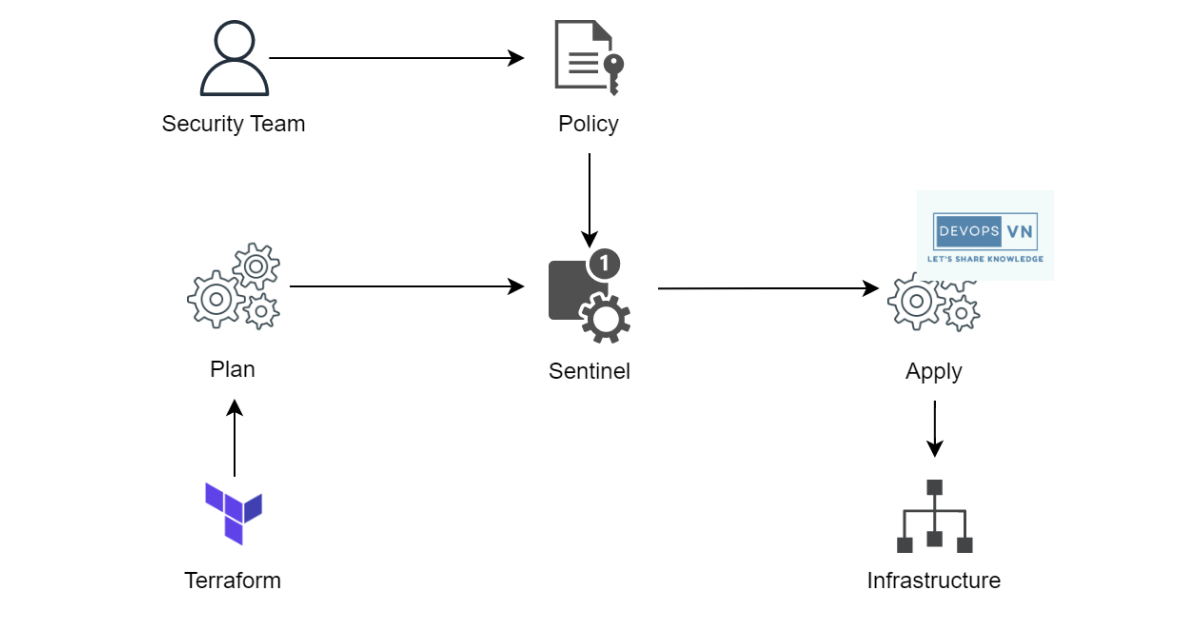
- Sentinel (Policy as Code)
Securing logs
The first thing that can leak security information is logs. When you run terraform plan or terraform apply, what’s printed to the terminal is saved to a log file in the /tmp directory (Linux) for a period of time.
Sensitive Variable
If, while Terraform runs apply, we print sensitive information, it will be leaked if anyone accesses your machine. For example, if we use local-exec as follows (terraform_data is the built-in replacement for the old null_resource, so no external provider is needed):
resource "terraform_data" "print" {
  provisioner "local-exec" {
    command = <<-EOF
      echo "username = ${var.postgres_username}"
      echo "password = ${var.postgres_password}"
    EOF
  }
}
When we run terraform apply, the logs print as follows:
...
null_resource.uh_oh (local-exec): username=secret-username
null_resource.uh_oh (local-exec): password=secret-password
null_resource.uh_oh: Creation complete after 0s [id=5973892021553480485]
...
Our secure information is saved into the logs, so when we use a variable in Terraform, for variables containing sensitive information we should add a sensitive field, for example:
variable "postgres_username" {
  type      = string
  sensitive = true
}

variable "postgres_password" {
  type      = string
  sensitive = true
}

resource "terraform_data" "print" {
  provisioner "local-exec" {
    command = <<-EOF
      echo "username = ${var.postgres_username}"
      echo "password = ${var.postgres_password}"
    EOF
  }
}
When we run apply, it prints to the terminal as follows:
...
null_resource.uh_oh (local-exec): (output suppressed due to sensitive value in config)
null_resource.uh_oh (local-exec): (output suppressed due to sensitive value in config)
null_resource.uh_oh: Creation complete after 0s [id=5973892021553480485]
...
The danger of TF_LOG=trace
When you run apply with TF_LOG=trace, you’ll see a lot of information printed.
export TF_LOG=trace
terraform apply
The information it prints is like this:
...
Trying to get account information via sts:GetCallerIdentity
[aws-sdk-go] DEBUG: Request sts/GetCallerIdentity Details:
---[ REQUEST POST-SIGN ]-----------------------------
POST / HTTP/1.1
Host: sts.amazonaws.com
User-Agent: aws-sdk-go/1.30.16 (go1.13.7; darwin; amd64) APN/1.0
HashiCorp/1.0 Terraform/0.12.24 (+https://www.terraform.io)
Content-Length: 43
Authorization: AWS4-HMAC-SHA256 Credential=AKIATESI2XGPMMVVB7XL/20200504/us-east-1/sts/aws4_request, SignedHeaders=content-length;content-type;host;x-amz-date, Signature=c4df301a200eb46d278ce1b6b9ead1cfbe64f045caf9934a14e9b7f8c207c3f8
Content-Type: application/x-www-form-urlencoded; charset=utf-8
...
You’ll see a very important piece of information in the Authorization section — this is a token obtained from AWS STS, and we can use it to call the AWS API. If you use an AWS IAM with Admin permission it’s even more dangerous; although this token only lasts 15 minutes, it’s still fairly dangerous. So you should only use TF_LOG=trace when you really need to debug.
Securing the state file
Terraform was created to manage and provision infrastructure through the state file; it doesn’t care whether the information stored in the state file is sensitive, and it doesn’t have many features to do so. So to protect the data in the state file we have to find other methods. Here are some ways we can protect the data in the state file.
Remove sensitive information from Terraform
Although we can’t encrypt secure information in the state file, we can remove as much of the information considered most sensitive as possible when we write Terraform code.
Fewer secrets means you have less to lose in the event of a data breach.
The best security practice is: the less information we have that needs protecting, the better.
In Terraform, only these 3 Configuration Blocks store information in the state: resources, data, and output. Other blocks such as providers, input variables, and local values are not stored in the state.
So for values that won’t store information in the state, instead of hard-coding the value in code, we should put it in an environment variable and pass it in when we run apply. For example, instead of putting the value in code.
provider "aws" {
  region     = var.region
  access_key = "ABCXYZ"
  secret_key = "ABCXYZ"
}
We should use.
provider "aws" {
  region     = var.region
  access_key = var.access_key
  secret_key = var.secret_key
}
terraform apply -var="access_key=ABCXYZ" -var="secret_key=ABCXYZ"
But for blocks that store data in the state, such as resources, even if we use environment variables it’s still saved into the state, for example.
resource "aws_rds_cluster" "postgres" {
  cluster_identifier = "postgres"
  engine             = "aurora-postgresql"
  engine_mode        = "provisioned"
  engine_version     = "16.4"
  database_name      = "terraform"
  master_username    = var.username
  master_password    = var.password
}
When we create this resource and check the state, we still see its values stored as plain text.
...
 {
      "mode": "managed",
      "type": "aws_db_instance",
      "name": "postgres",
      "provider": "provider[\"registry.terraform.io/hashicorp/aws\"]",
      "instances": [
        {
          "schema_version": 1,
          "attributes": {
          ...
            "nchar_character_set_name": "",
            "option_group_name": "default:postgres-12",
            "parameter_group_name": "custom-postgres12",
            "password": "secret-password", // plain text
            ...
            "username": "secret-username", // plain text
            ...
          ...
          }
       ]
       ...
}
...
As you can see, the password information is still stored in the state without any encryption, so to protect information like this we should follow the next method.
Terraform Backend
Use environment variables for blocks that aren’t stored in the state; for other blocks we can’t prevent them from being stored in the state as plain text, so instead we should use a Terraform Backend to store the state somewhere considered very secure, where we can control who’s allowed to read the state.
For example, if we use the S3 Standard Backend, our state file is stored on AWS S3.
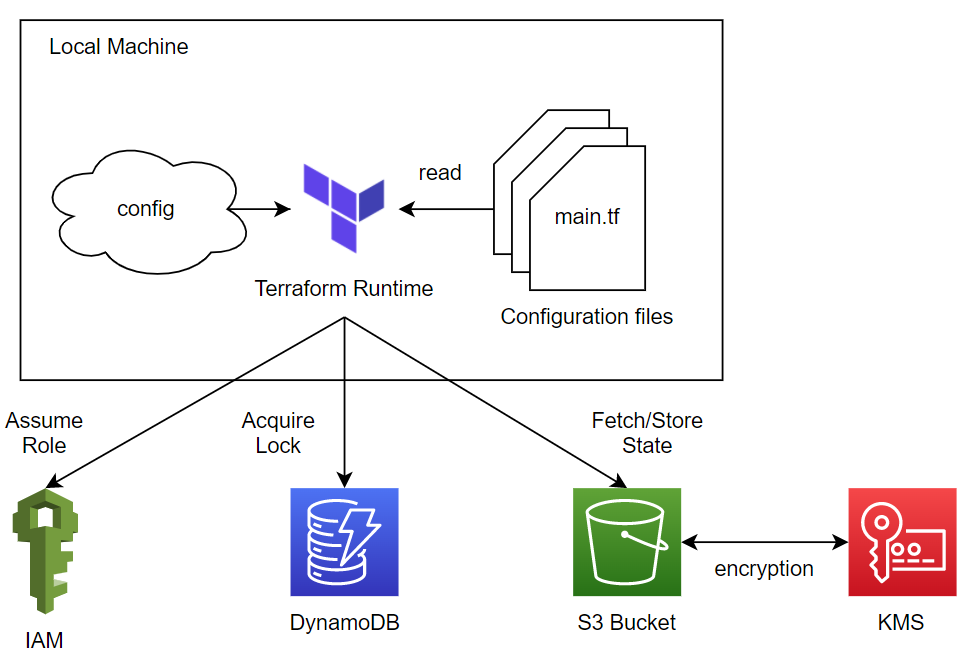
And AWS already provides us a permissions system for S3 — only those we allow can view it — so at this point our data being stored as plain text isn’t much of a problem, because we control who has permission to view it.
Encryption at rest
Encryption at rest is a way to encrypt data and turn it into a form humans can’t read, where only the person who encrypted it knows what it is.
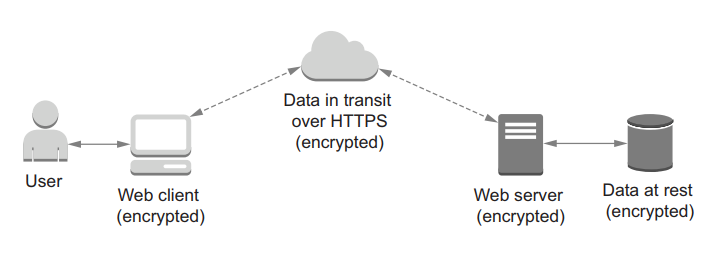
Most kinds of Terraform Backend have Encryption at Rest — for example, S3 provides us with quite a few methods for encryption (turn it on with encrypt = true, and ideally a customer-managed KMS key, as we did in the S3 Backend part).
Terraform itself still can’t encrypt the contents of the state client-side. If you need that, OpenTofu (the open-source fork of Terraform) added client-side state encryption in 1.7 — the state is encrypted before it ever reaches the backend.
Conclusion
So we’ve learned about the security problems we can face and how to fix them. The important points are: we should use sensitive for secure variables, and since data is stored in the state file as plain text, we should use a Terraform Backend so we can control who is able to access our state file.