Every Docker deployment starts with a build. You write a Dockerfile, which lists the files and commands Docker needs, then Docker turns that recipe into an image: a package that contains the application and the software it needs to run.
That simple workflow gets awkward when the application grows. A Node.js service may need to download hundreds of packages every time CI builds it. It may also need a private npm token to download an internal package. A slow build delays every release, while putting that token in an ARG, ENV, or copied .npmrc can leave a credential in the image history or a layer.
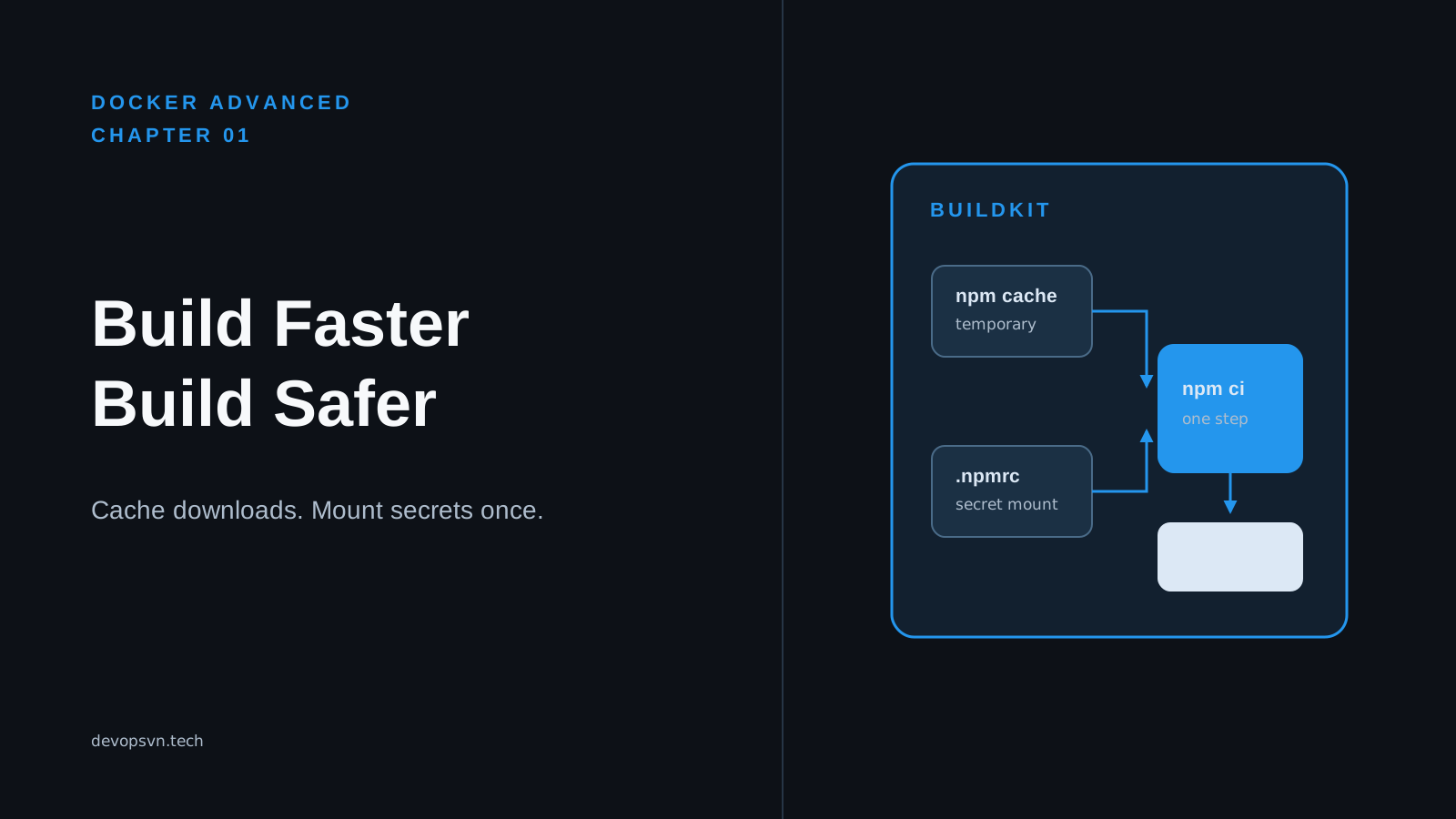
BuildKit is Docker’s modern image builder. It reads a Dockerfile and creates an image, but also provides temporary cache directories and temporary secrets during a build. In this chapter, you will build a small Node.js image, reuse downloaded npm packages between builds, and supply a private-registry configuration only while npm ci runs.
Code for this chapter. The complete runnable example is in 01-buildkit.
Start with the working build
The example is intentionally small. src/index.js prints a startup message; the build behavior is the focus. From the repository root, enter the chapter directory and run this command:
cd _resource/docker-advanced/01-buildkit
docker buildx build --load -t task-api-buildkit:local .
docker buildx build uses Buildx, Docker’s command-line interface for BuildKit. --load puts the completed single-platform image into the local Docker image store, so docker run can use it. You should see steps beginning with # and an image named task-api-buildkit:local at the end. A plain docker build also uses BuildKit in current Docker Desktop releases, but Buildx makes that choice explicit and is the better command to carry into CI.
Run the image:
docker run --rm task-api-buildkit:local
The container should print:
Task API started
This output confirms that the final image contains the application and its production dependencies. It establishes a working baseline before examining the Dockerfile.
Read the Dockerfile from top to bottom
Here is the complete Dockerfile used by the example:
# syntax=docker/dockerfile:1.7
FROM node:22-alpine AS dependencies
WORKDIR /app
COPY package*.json ./
RUN --mount=type=cache,target=/root/.npm \
    --mount=type=secret,id=npmrc,target=/root/.npmrc,required=false \
    npm ci --omit=dev

FROM node:22-alpine
WORKDIR /app
COPY --from=dependencies /app/node_modules ./node_modules
COPY src ./src
USER node
CMD ["node", "src/index.js"]
The first line selects the Dockerfile frontend version. The frontend understands RUN --mount; without it, an older builder reports an unknown --mount flag instead of creating the cache or secret mount.
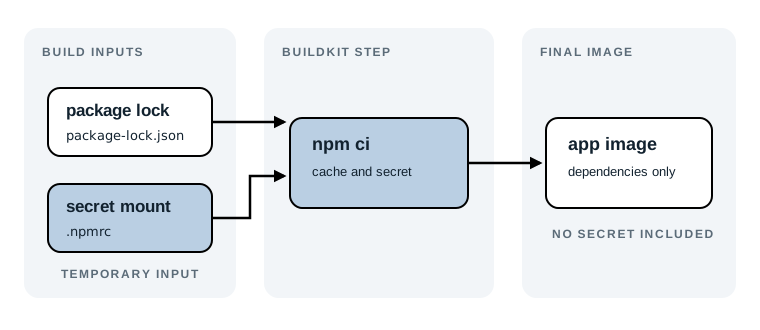
The dependencies stage copies only package.json and package-lock.json, then runs npm ci --omit=dev. npm ci installs exactly what the lockfile specifies, and --omit=dev keeps development dependencies out of node_modules. Docker can reuse this stage whenever application code changes but the package files do not.
The second stage copies only those production dependencies and src. It runs as the built-in non-root node user. This is still a small teaching application, but the split demonstrates an important production boundary: build-time files and credentials do not need to be present in the runtime image.
The accompanying .dockerignore excludes node_modules and .npmrc. The first exclusion prevents host dependencies from replacing Linux dependencies in the image. The second prevents an accidental COPY . . in a later edit from sending credentials in the build context.
Keep npm’s download cache outside the image
This line is the first BuildKit feature:
RUN --mount=type=cache,target=/root/.npm \
    npm ci --omit=dev
A cache mount is a writable directory available only for one build step. Here it gives npm a place to retain downloaded package tarballs between builds. It is not committed into the image layer, so the final image does not become larger just because npm kept a cache.
Try a rebuild without changing any files:
docker buildx build --load -t task-api-buildkit:local .
Docker may show the dependency step as CACHED; that is Dockerfile layer caching, which is even faster because it skips npm ci entirely. To see the cache mount do its job, deliberately invalidate that layer while leaving npm’s package cache intact:
docker buildx build --no-cache --load -t task-api-buildkit:local .
This forces the Dockerfile steps to run again. The npm command still has access to its BuildKit cache and can reuse already downloaded packages. The exact speedup depends on your network and the packages involved, so compare the npm ci step duration rather than expecting a fixed number.
Note: BuildKit’s local cache is useful during development, but it does not automatically appear on a fresh CI runner. In CI, export and import a cache with the backend your platform supports, such as a registry cache or GitHub Actions cache. We will use the same Buildx workflow later in this series.
Pass a private registry configuration safely
Many teams need an .npmrc file to download private packages. It may contain an npm access token. The wrong approach is to copy it into an image:
# Do not do this.
COPY .npmrc /root/.npmrc
RUN npm ci --omit=dev
Deleting the file in a later RUN does not repair the mistake. Docker layers are additive: the earlier layer can still be extracted or inspected from the image history.
The example uses a secret mount instead:
RUN --mount=type=secret,id=npmrc,target=/root/.npmrc,required=false \
    npm ci --omit=dev
BuildKit exposes the secret at /root/.npmrc only while that one RUN instruction executes. id=npmrc is the name the build command uses to match the secret. required=false lets the public example build when no secret is supplied; remove that option in a private-package project so a missing credential fails early and clearly.
Create a local .npmrc only when you need a private registry. Do not commit it. Then build with it mounted as a secret:
docker buildx build \
  --secret id=npmrc,src=.npmrc \
  --load \
  -t task-api-buildkit:local .
The expected result is the same completed image and startup output, but the source .npmrc was available only to npm ci. Docker does not include secret mount contents in the resulting layer cache or image. Keep the .npmrc file local or provide its contents from your CI secret store; never put its token directly in the build command, where shell history and process logs may expose it.
Diagnose the common “unknown flag: mount” failure
The first failure people see after adopting this Dockerfile is usually a builder that does not support BuildKit syntax. It looks similar to this:
the --mount option requires BuildKit
On a supported Docker installation, check that Buildx is available:
docker buildx version
The command should print a Buildx version. Then use docker buildx build, as in this chapter. Docker Desktop enables BuildKit by default in current releases. On a managed Linux host, the fix belongs with the Docker daemon or CI runner configuration, not in a workaround that copies a secret into the image.
There is a tradeoff here. BuildKit mounts make the Dockerfile safer and faster, but they require a modern builder and a deliberate cache strategy in ephemeral CI. For a local throwaway image, a normal npm ci layer may be enough. For a service that builds repeatedly or consumes private packages, the extra configuration pays for itself quickly.
Check what reached the runtime image
Build the example with a supplied .npmrc if you have one, then inspect the final filesystem:
docker run --rm --entrypoint sh task-api-buildkit:local \
  -c 'test ! -e /root/.npmrc && echo "no npm credentials in runtime image"'
The expected output is:
no npm credentials in runtime image
This is not a replacement for secret scanning in CI, but it is a useful, focused check for the property this Dockerfile promises. The final stage starts from a new node:22-alpine image and copies only node_modules and src, so it has no reason to contain the build-stage secret.
Summary
- BuildKit is Docker’s modern builder, available explicitly through
docker buildx build. - A cache mount keeps npm downloads between builds without adding them to the final image.
- A secret mount gives
npm cia private.npmrcfor one command without copying the credential into a layer. .dockerignore, a multi-stage build, and a non-root runtime user keep the example’s build context and final image focused.
Next, we will use the same build boundary to shrink the production image without losing the files the service needs.