


This post will help you better understand ArgoCD’s architecture. ArgoCD performs three main tasks:
- Fetching source from Git: ArgoCD retrieves the source code and application configuration from Git
- Syncing state when it detects a difference: if there’s a difference between the actual state and the desired state, ArgoCD automatically adjusts to ensure they’re in sync
- Displaying results to the user: the result of the sync process is shown through the UI
Each stage in this process does different work, and ArgoCD is designed with a separate component to handle each corresponding task, including:
argocd-repo-serverargocd-application-controllerargocd-api-server
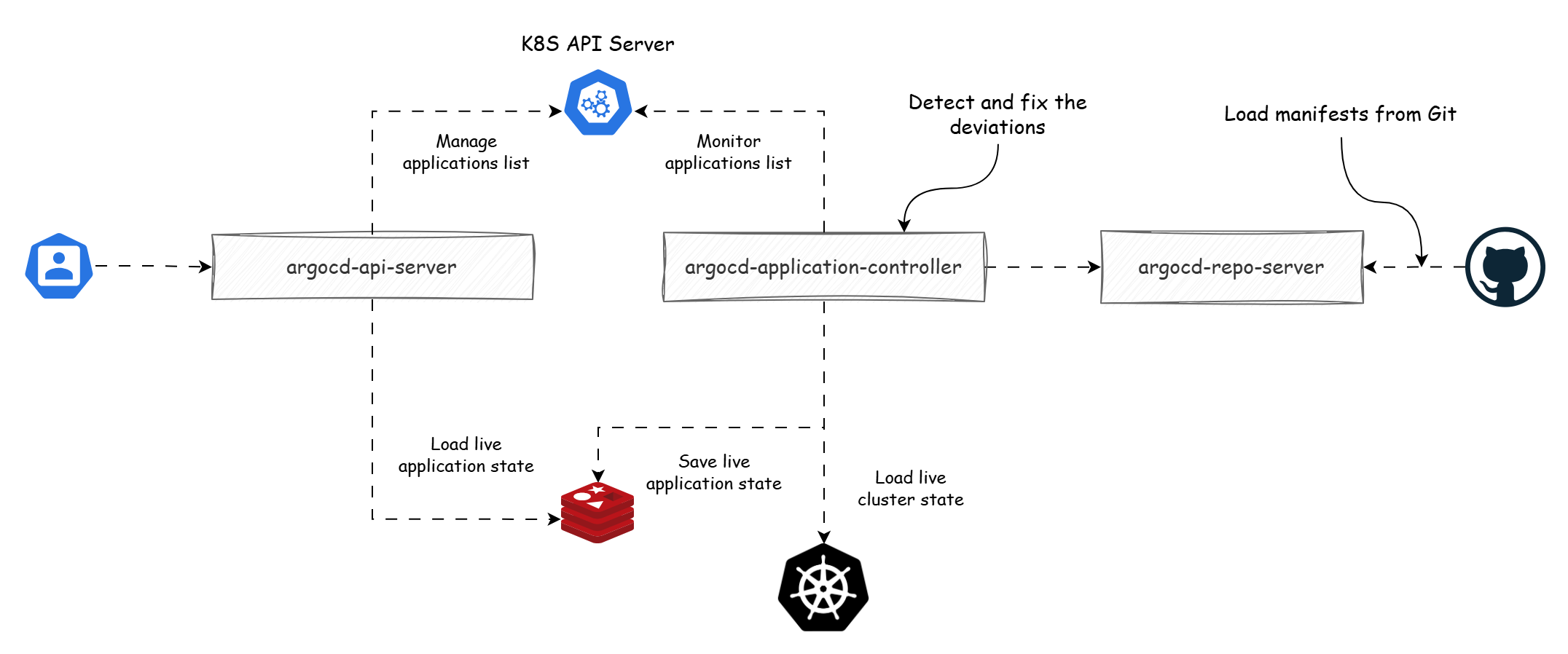
Image drawn from the book GitOps and Kubernetes.
ArgoCD Repo Server
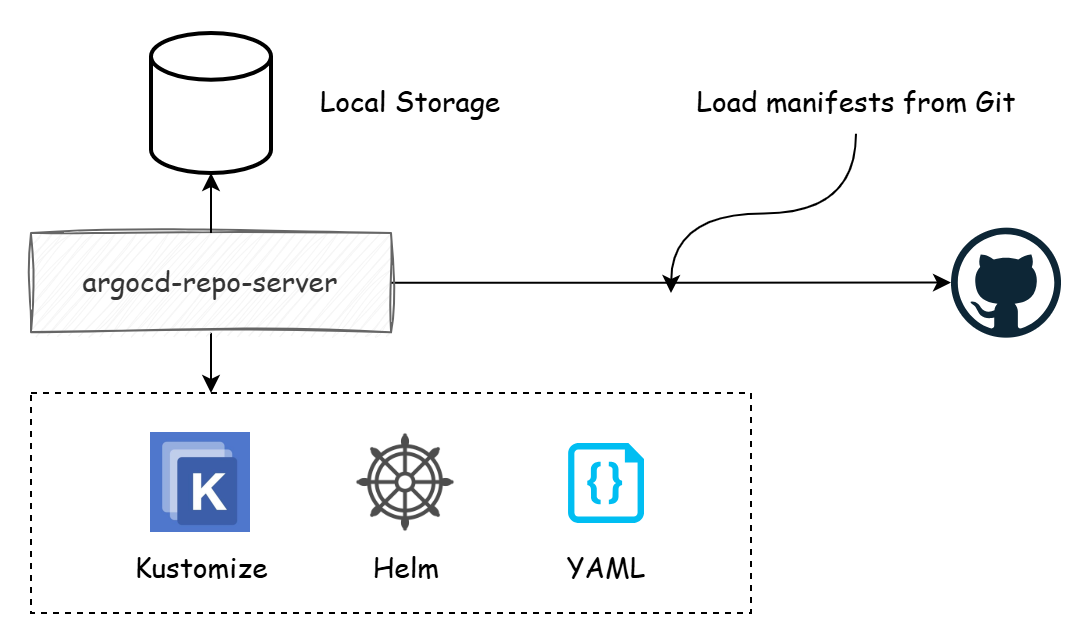
The job of the argocd-repo-server is to download the source from Git and generate the manifest, including these steps:
- Download the source from Git and store it locally, using
git fetchto only download recent changes - Generate the manifest
Generating the manifest is usually memory-intensive. In practice, configuration files are rarely stored as pure YAML — developers prefer using configuration management tools like Helm or Kustomize. Each call to the tool causes a spike in memory usage.
When working with many different repos, we can increase the configuration of the argocd-repo-server and scale up its number of replicas to ensure optimal performance.
ArgoCD Application Controller
The comparison process that syncs the difference between the actual infrastructure and the configuration files stored in Git is called the reconciliation stage. This process is performed by the argocd-application-controller.
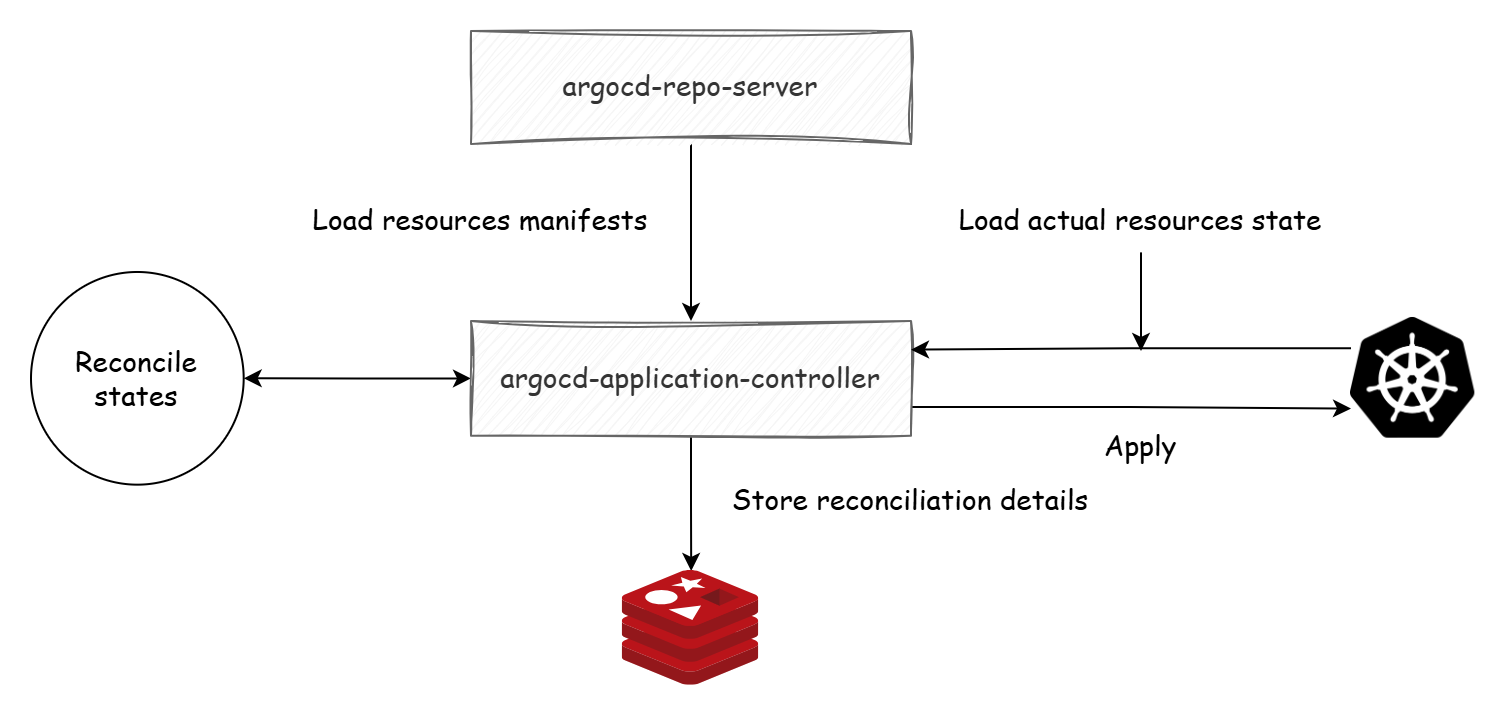
The result of the process is stored in Redis.
ArgoCD API Server
The result of the reconciliation process is shown to the user through the argocd-api-server.
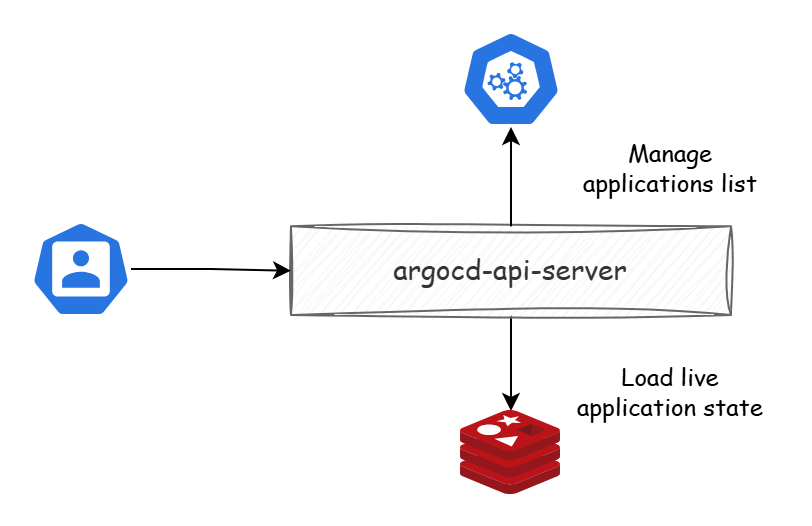
We can scale each component separately to serve its corresponding task. For example, when many users access the ArgoCD Web UI, the component to scale is the API Server. When there are many processes that need reconciliation, we scale the Application Controller.
In the next post, we’ll learn how ArgoCD works with Helm.





