

Companies usually keep their Git repositories private. This post shows how to connect ArgoCD to a private Git repo.
Preparation
Create a private GitHub repo to hold the configuration for the Book Info microservice (copy the manifests into your own private repo). To connect ArgoCD to a private repo, we use Repositories. In the ArgoCD UI, go to Settings → Repositories:
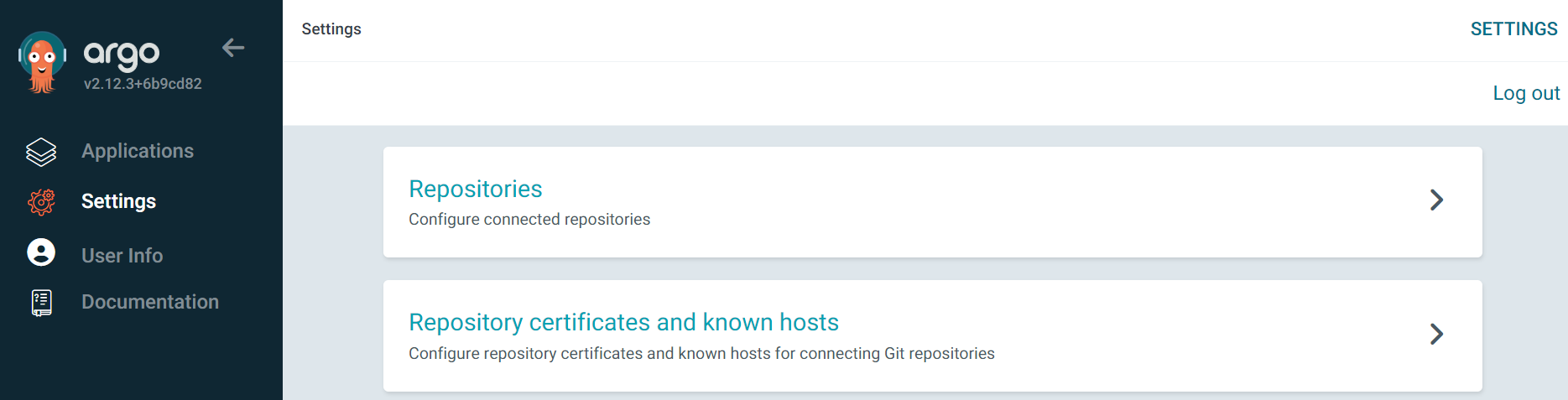
Click + CONNECT REPO:

The two common ways to create a connection are:
- HTTPS (username/password or access token)
- SSH private key
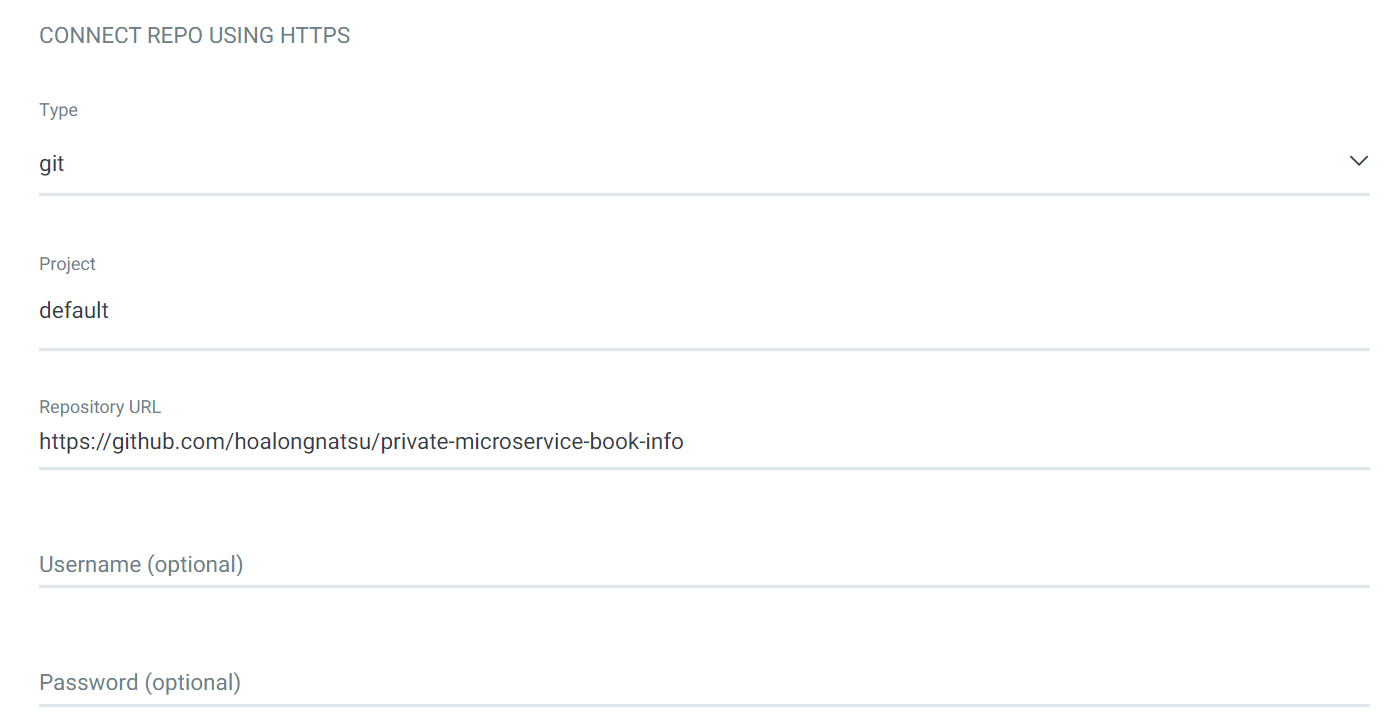
We choose HTTPS and enter the details as below:
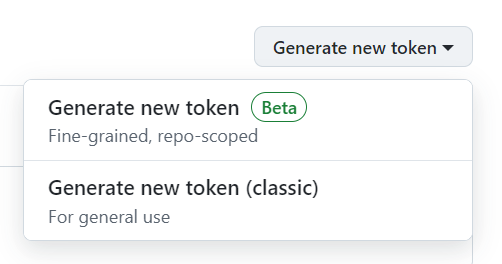
Instead of entering your GitHub account’s username and password directly, for better security we’ll create an access token. Go to github.com/settings/tokens. Under “Generate new token,” choose “Generate new token (classic)”:
Tick the repo scope:
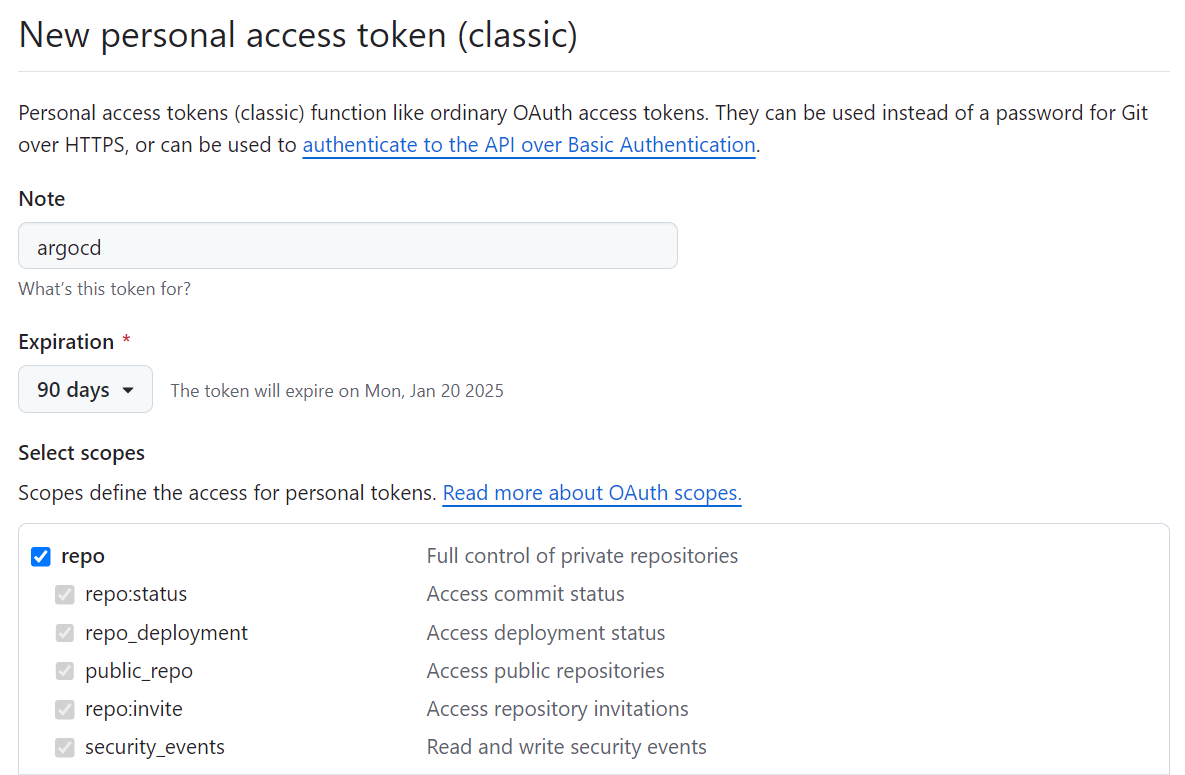
Click Create and copy the generated token.
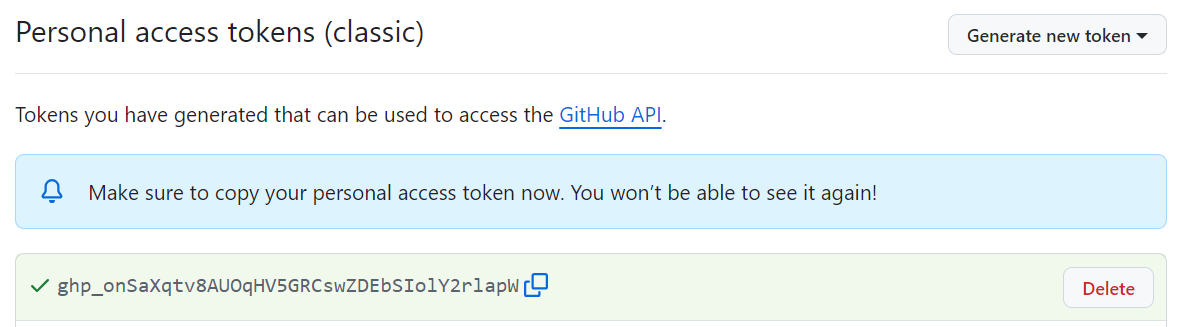
Back in the ArgoCD UI, enter git for the username and the token you created for the
password:
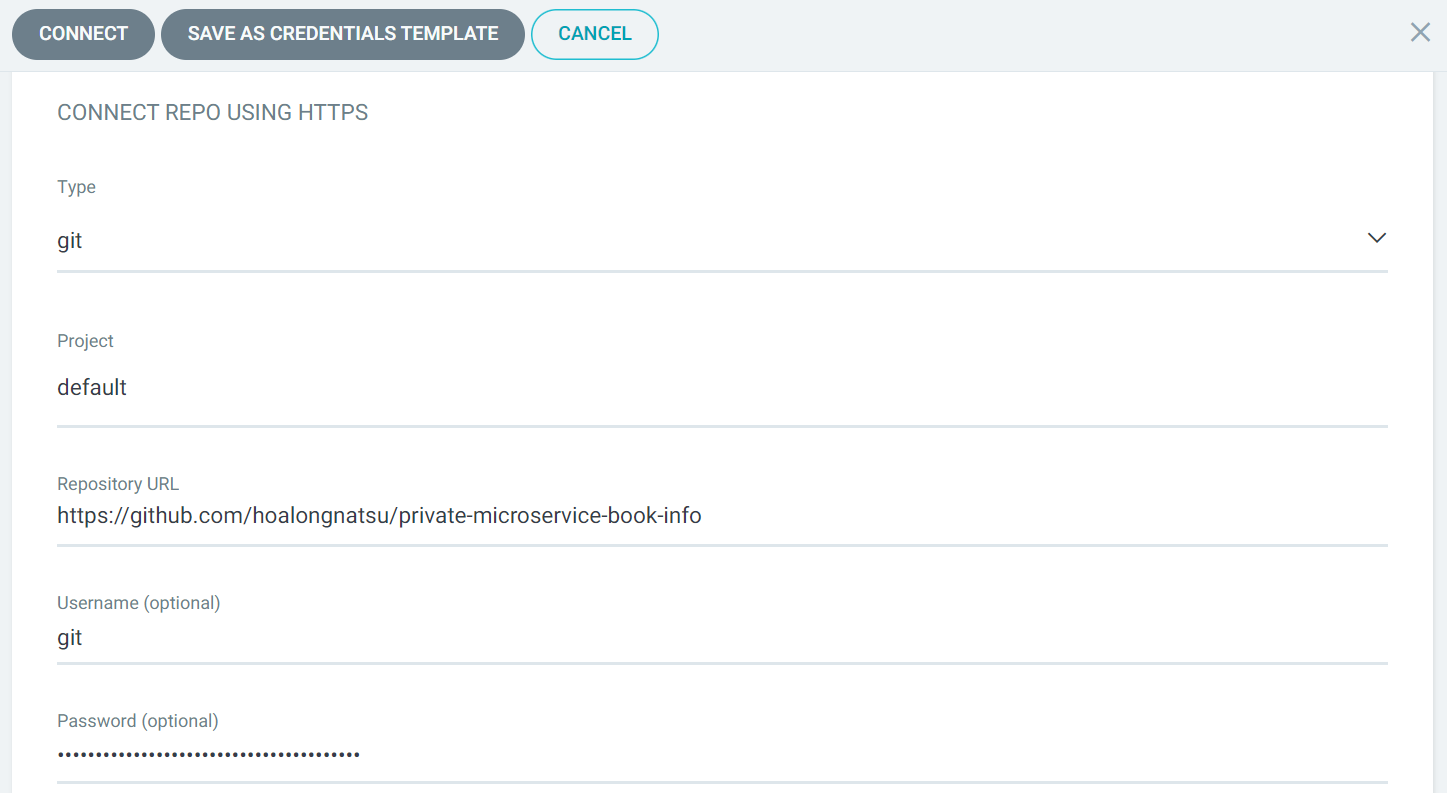
Click Connect. If CONNECTION STATUS shows Successful, the connection was created successfully.
Creating Repositories via the CLI
Run:
argocd repo add https://github.com/your-org/private-microservice-book-info --username git --password <your-access-token>
Creating Repositories via a Secret
By GitOps standards, everything related to infrastructure should be stored in Git, including Repositories. Creating Repositories via a Secret is more professional than the two methods above, especially when a project may have dozens of Repositories for different private repos. To create a Secret-based Repository, note two important points:
- The Secret must be in the same namespace as ArgoCD
- The labels must include
argocd.argoproj.io/secret-type: repository
Here’s the YAML structure to create a Repository via a Secret:
apiVersion: v1
kind: Secret
metadata:
  name: private-repo
  namespace: argocd
  labels:
    argocd.argoproj.io/secret-type: repository
stringData:
  type: git
  url: https://github.com/your-org/private-microservice-book-info
  password: git
  username: <your-access-token>
In a real setup, we don’t store the Secret as plain text like above — we should use ExternalSecret. For example, with a Secret stored in AWS Secrets Manager:
apiVersion: external-secrets.io/v1beta1
kind: ExternalSecret
metadata:
  name: private-repo
spec:
  secretStoreRef:
    name: aws
    kind: ClusterSecretStore
  target:
    name: private-repo
    creationPolicy: Owner
    template:
      type: Opaque
      metadata:
        labels:
          argocd.argoproj.io/secret-type: repository
  data:
    - secretKey: username
      remoteRef:
        key: aws/git/application-argo
        property: username
    - secretKey: password
      remoteRef:
        key: aws/git/application-argo
        property: password
    - secretKey: url
      remoteRef:
        key: aws/git/application-argo
        property: repository
For details, see Secret Management.
Creating Book Info with the Private Repo
Create an apps.yaml file with the Application configuration for Book Info:
apiVersion: argoproj.io/v1alpha1
kind: Application
metadata:
  name: bookinfo-details
  namespace: argocd
spec:
  project: default
  source:
    repoURL: 'https://github.com/your-org/private-microservice-book-info'
    targetRevision: HEAD
    path: '_resource/argocd-series/02-core-concepts/bookinfo/details'
  destination:
    server: 'https://kubernetes.default.svc'
    namespace: default
  syncPolicy:
    automated:
      prune: true
      selfHeal: true
---
apiVersion: argoproj.io/v1alpha1
kind: Application
metadata:
  name: bookinfo-products
  namespace: argocd
spec:
  project: default
  source:
    repoURL: 'https://github.com/your-org/private-microservice-book-info'
    targetRevision: HEAD
    path: '_resource/argocd-series/02-core-concepts/bookinfo/products'
  destination:
    server: 'https://kubernetes.default.svc'
    namespace: default
  syncPolicy:
    automated:
      prune: true
      selfHeal: true
---
apiVersion: argoproj.io/v1alpha1
kind: Application
metadata:
  name: bookinfo-ratings
  namespace: argocd
spec:
  project: default
  source:
    repoURL: 'https://github.com/your-org/private-microservice-book-info'
    targetRevision: HEAD
    path: '_resource/argocd-series/02-core-concepts/bookinfo/ratings'
  destination:
    server: 'https://kubernetes.default.svc'
    namespace: default
  syncPolicy:
    automated:
      prune: true
      selfHeal: true
---
apiVersion: argoproj.io/v1alpha1
kind: Application
metadata:
  name: bookinfo-reviews
  namespace: argocd
spec:
  project: default
  source:
    repoURL: 'https://github.com/your-org/private-microservice-book-info'
    targetRevision: HEAD
    path: '_resource/argocd-series/02-core-concepts/bookinfo/reviews'
  destination:
    server: 'https://kubernetes.default.svc'
    namespace: default
  syncPolicy:
    automated:
      prune: true
      selfHeal: true
Run apply:
kubectl apply -f apps.yaml
Check that ArgoCD created the Applications:
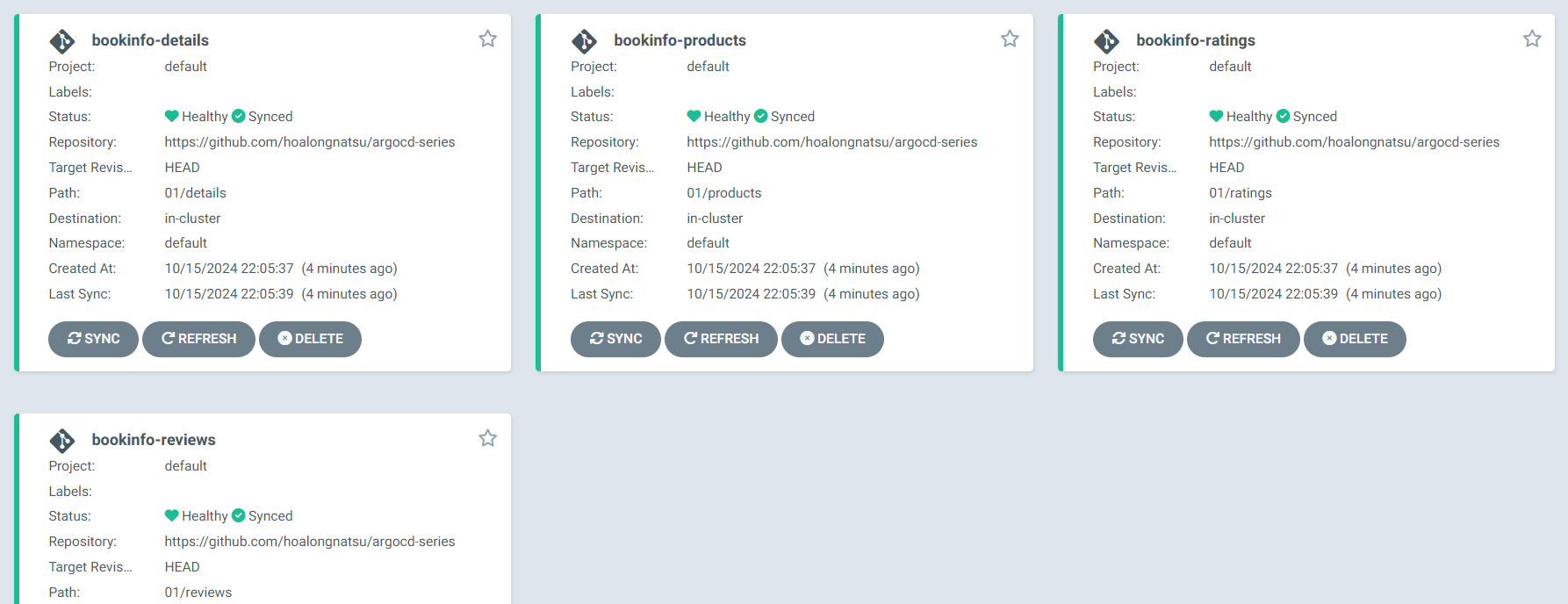
If the status of all of them is Healthy, we connected ArgoCD to the private repo successfully. In the next post, we’ll learn about ArgoCD architecture.





