


Core Concepts
The two main concepts in ArgoCD are Application and Project:
- Application is a configuration that describes the desired state of an application running on Kubernetes
- Project helps organize and manage multiple Applications; by default ArgoCD
creates a Project named
default
Application
We use an Application to specify the Git repository that contains the Kubernetes resources we want to deploy. In the previous post, we used the ArgoCD UI to create an Application.
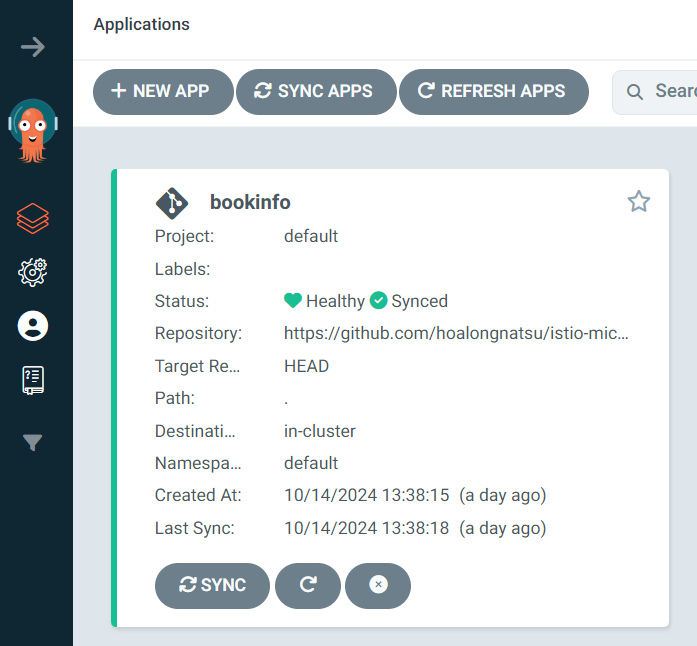
The structure of an Application includes fields such as:
- Source: the Git repository or Helm chart address containing the application’s source code and configuration
- Destination: the cluster and namespace where the application will be deployed
- Project: the project the Application belongs to
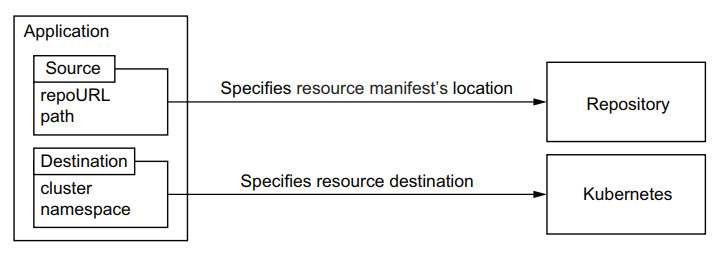
There are several ways to create an Application: via the UI, using the CLI, or defining the Application in a YAML file. With the CLI, run:
argocd app create bookinfo \
--repo https://github.com/VersusControl/devops-vn-blog \
--path _resource/argocd-series/01-getting-started/bookinfo \
--dest-server https://kubernetes.default.svc \
--dest-namespace default
However, creating an Application via the UI or CLI makes management and recovery difficult. For example, if ArgoCD has a serious failure and there’s no backup, recreating all the Applications is very time-consuming. So, to deploy applications professionally, we usually use YAML files (or, more advanced, Application Sets, covered in a later post). Here’s how to define an Application with a YAML file:
apiVersion: argoproj.io/v1alpha1
kind: Application
metadata:
  name: bookinfo
  namespace: argocd
spec:
  project: default
  source:
    repoURL: 'https://github.com/VersusControl/devops-vn-blog'
    targetRevision: HEAD
    path: '_resource/argocd-series/01-getting-started/bookinfo'
  destination:
    server: 'https://kubernetes.default.svc'
    namespace: default
  syncPolicy:
    automated:
      prune: true
      selfHeal: true
Restructuring the Book Info Microservice Deployment

In the previous post, we deployed the Book Info application, which includes:
- Products Service
- Details Service
- Reviews Service
- Ratings Service
We put all the Kubernetes YAML files for each service in a single repository and created a single Application to sync the entire microservice:
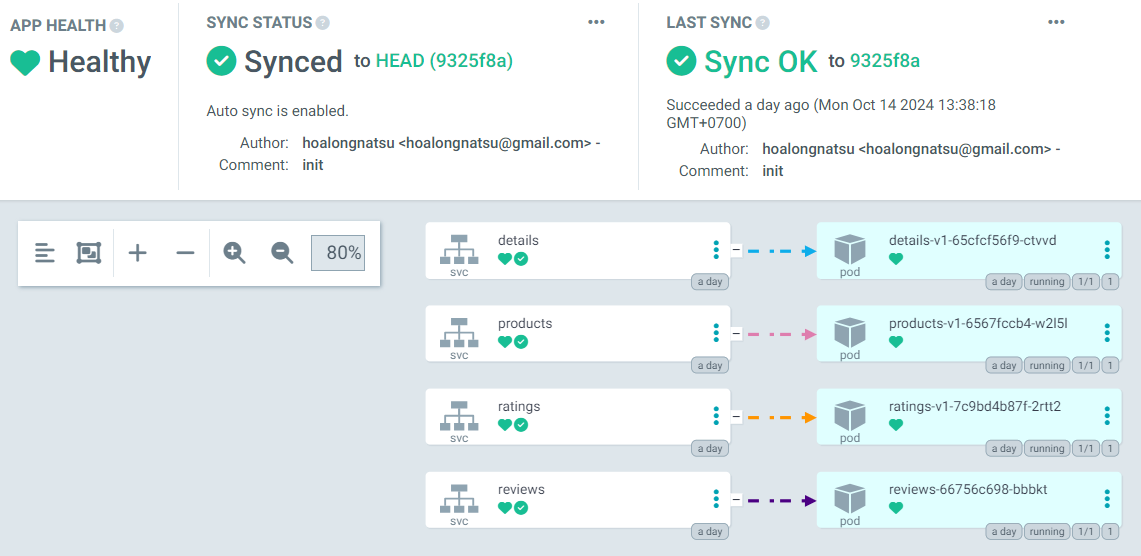
Deploying everything in one Application slows the sync process and makes it hard to update individual services. So we should restructure by creating a separate Application for each service. See the manifests: 02-core-concepts/bookinfo.
.
├── apps.yaml
├── details
│   └── bookinfo-details.yaml
├── products
│   └── bookinfo-products.yaml
├── ratings
│   └── bookinfo-ratings.yaml
└── reviews
    └── bookinfo-reviews.yaml
Then we define a YAML file for each Application. Create a file named apps.yaml:
apiVersion: argoproj.io/v1alpha1
kind: Application
metadata:
  name: bookinfo-details
  namespace: argocd
spec:
  project: default
  source:
    repoURL: 'https://github.com/VersusControl/devops-vn-blog'
    targetRevision: HEAD
    path: '_resource/argocd-series/02-core-concepts/bookinfo/details'
  destination:
    server: 'https://kubernetes.default.svc'
    namespace: default
  syncPolicy:
    automated:
      prune: true
      selfHeal: true
---
apiVersion: argoproj.io/v1alpha1
kind: Application
metadata:
  name: bookinfo-products
  namespace: argocd
spec:
  project: default
  source:
    repoURL: 'https://github.com/VersusControl/devops-vn-blog'
    targetRevision: HEAD
    path: '_resource/argocd-series/02-core-concepts/bookinfo/products'
  destination:
    server: 'https://kubernetes.default.svc'
    namespace: default
  syncPolicy:
    automated:
      prune: true
      selfHeal: true
---
apiVersion: argoproj.io/v1alpha1
kind: Application
metadata:
  name: bookinfo-ratings
  namespace: argocd
spec:
  project: default
  source:
    repoURL: 'https://github.com/VersusControl/devops-vn-blog'
    targetRevision: HEAD
    path: '_resource/argocd-series/02-core-concepts/bookinfo/ratings'
  destination:
    server: 'https://kubernetes.default.svc'
    namespace: default
  syncPolicy:
    automated:
      prune: true
      selfHeal: true
---
apiVersion: argoproj.io/v1alpha1
kind: Application
metadata:
  name: bookinfo-reviews
  namespace: argocd
spec:
  project: default
  source:
    repoURL: 'https://github.com/VersusControl/devops-vn-blog'
    targetRevision: HEAD
    path: '_resource/argocd-series/02-core-concepts/bookinfo/reviews'
  destination:
    server: 'https://kubernetes.default.svc'
    namespace: default
  syncPolicy:
    automated:
      prune: true
      selfHeal: true
Run apply:
kubectl apply -f apps.yaml
application.argoproj.io/bookinfo-details created
application.argoproj.io/bookinfo-products created
application.argoproj.io/bookinfo-ratings created
application.argoproj.io/bookinfo-reviews created
Check the UI and you’ll see four Applications created:
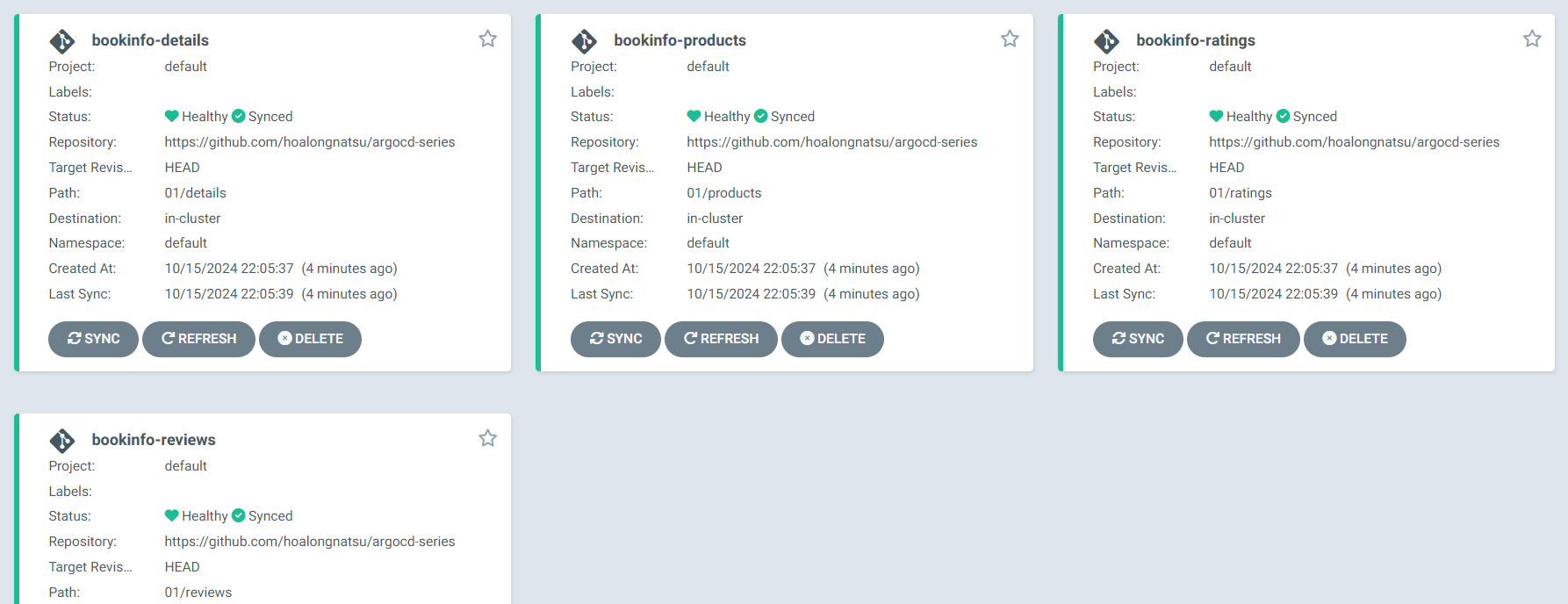
Defining Applications in YAML and using kubectl apply to create them seems more professional than creating them in the UI. However, this is still a manual method. In the Application Set post, we’ll learn how to automatically create an Application for each service.
Project
Argo CD Applications provide a flexible way to manage different applications independently. However, they don’t support multiple teams working on ArgoCD with different access levels. Different teams usually need to be granted access at different levels.
For example, the team developing the Reviews Service should only see and manage the Reviews Service and Ratings Service in ArgoCD. Or a tech lead can only see and access all Applications of the Kubernetes Dev environment in ArgoCD, while only DevOps can access Production. The Project was created to simplify management and access control for multiple Applications.
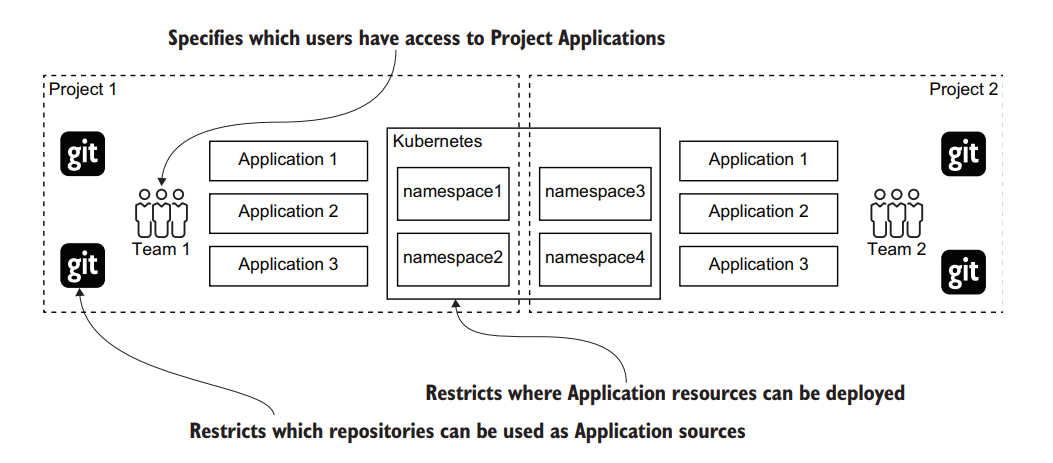
An example YAML file defining a Project:
apiVersion: argoproj.io/v1alpha1
kind: AppProject
metadata:
  name: dev
  namespace: argocd
spec:
  description: "Project for managing applications in ArgoCD"
  sourceRepos:
    - '*'
  destinations:
    - server: 'https://kubernetes.default.svc'
      namespace: '*'
  roles:
    - name: read-only
      description: Read-only access to applications in this project
      policies:
        - p, role:read-only, applications, get, dev/*, allow
      groups:
        - role:read-only-group
    - name: admin
      description: Admin access to applications in this project
      policies:
        - p, role:admin, applications, *, dev/*, allow
      groups:
        - role:admin-group
In the next post, we’ll learn how to connect ArgoCD to a private repo.





