When you design a network on the cloud — a VPC on AWS, for example — you have to decide how IP addresses are laid out. The three ideas that make that possible are IP, subnetting, and CIDR notation. Let’s build them up one at a time.
IP addresses
IP (Internet Protocol) addresses come in two versions:
- IPv4 uses 32 bits, written as four numbers 0–255 separated by dots — for example
192.0.2.126. That gives about 4 billion possible addresses. It’s still the most common version you’ll work with. - IPv6 is the newer version, built because we’re running out of IPv4 addresses. It uses 128-bit addresses, for a practically unlimited supply.
An IPv4 address has two parts: the network part (Network ID), which says which network you’re on, and the host part (Host ID), which says which device you are on that network. Think of it like a phone number: the area code is the network, the rest is the specific line.
Some IPv4 ranges are reserved for private networks — you’ll use these for internal cloud networks all the time:
10.0.0.0–10.255.255.255172.16.0.0–172.31.255.255192.168.0.0–192.168.255.255
Subnetting
Subnetting is the process of splitting one network into smaller sub-networks (subnets). We do it to use addresses efficiently, and to keep things organized and secure — for example, putting public web servers in one subnet and private databases in another.
Subnetting works by “borrowing” bits from the host part to create more network parts.
For example, the big range 172.16.0.0 – 172.16.255.255 can be split into smaller
blocks that are easier to manage:
172.16.0.0–172.16.15.255172.16.16.0–172.16.31.255- …and so on.
How big each block is comes down to CIDR notation.
CIDR notation
CIDR (Classless Inter-Domain Routing) notation is a short way to write “how big is
this network?”. It’s an IP address followed by a slash and a number — for example
192.168.1.0/24.
The number after the slash is how many bits belong to the network part. The remaining bits are for hosts. Since IPv4 has 32 bits total:
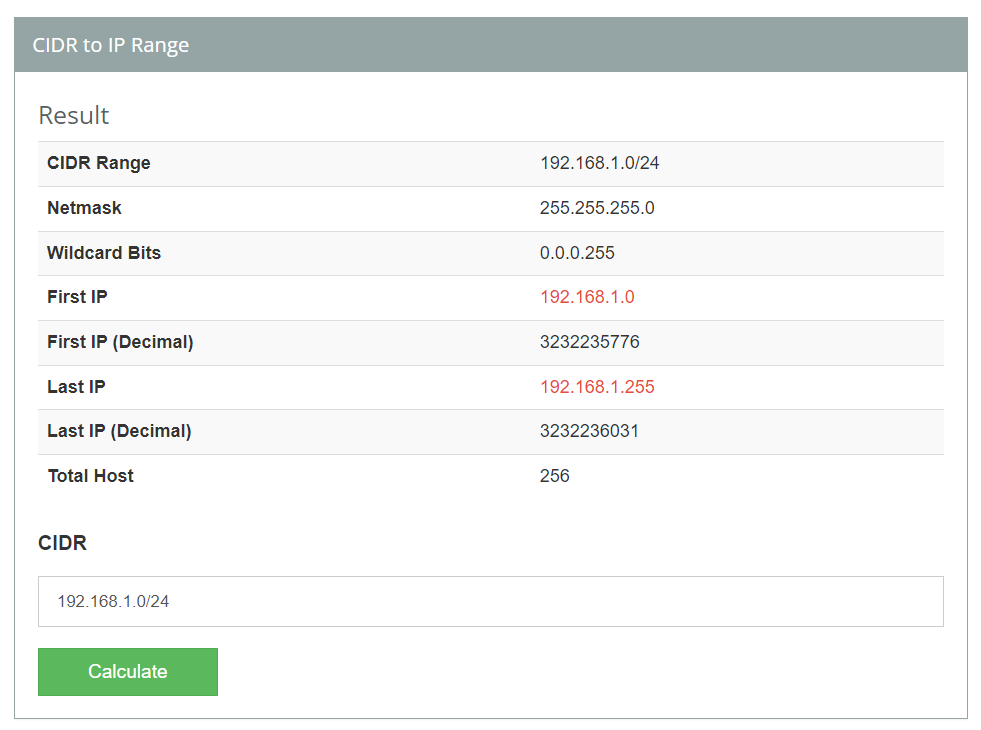
/24→ 24 network bits, 8 host bits → 2⁸ = 256 addresses (192.168.1.0to192.168.1.255)./16→ 16 host bits → 65,536 addresses./28→ 4 host bits → 16 addresses.
A smaller slash number means a bigger network. (Two addresses in each block are
reserved: the first is the network address and the last is the broadcast address, so a
/24 gives you 254 usable IPs.)
You don’t have to do the binary math by hand — a calculator like CIDR to IPv4 Conversion does it instantly, and this guide explains the calculation in detail.
Why this matters for DevOps
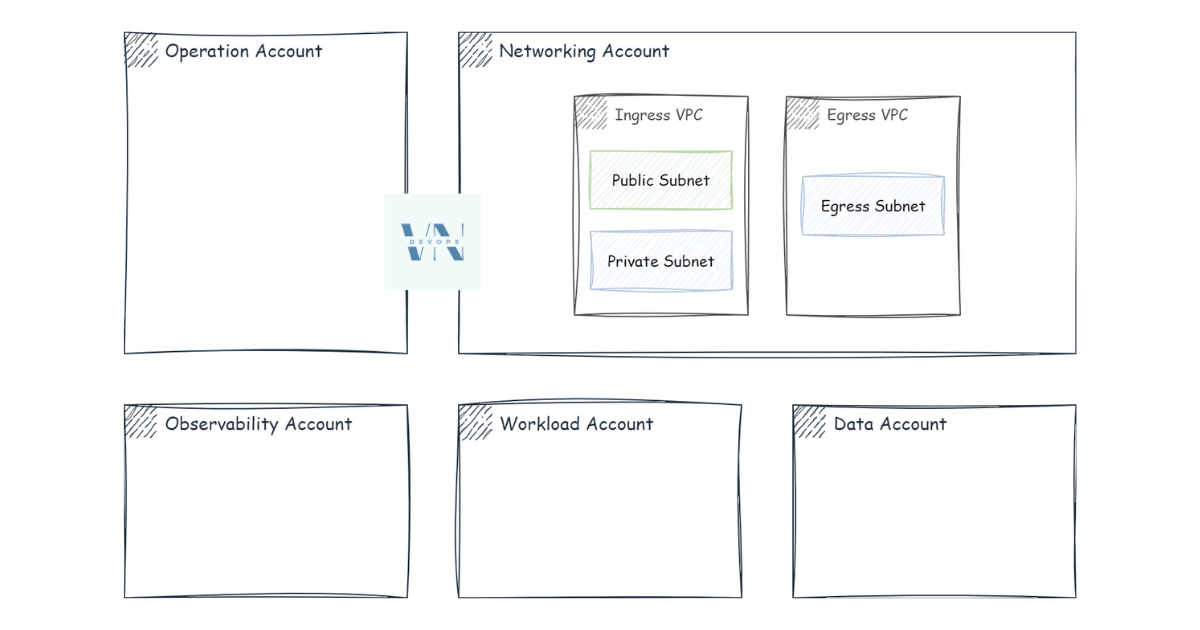
When you design a network, you pick the address ranges up front and divide them into subnets sized for the services that will live there:
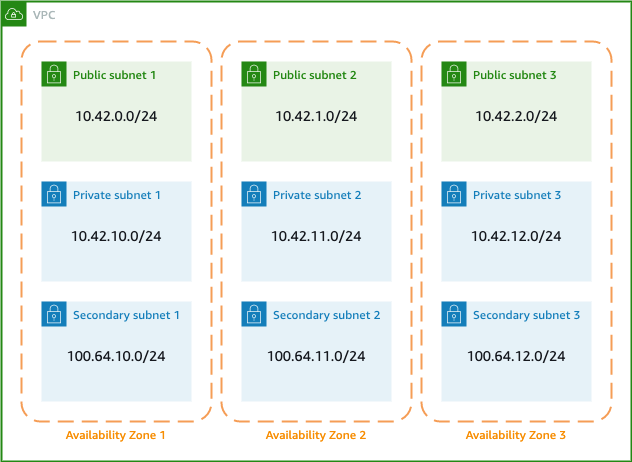
Make a subnet too big and you waste addresses; too small and you run out of room to grow. Resizing a subnet later is painful, so getting the layout right at the start is one of the most important networking decisions you’ll make.
In the next post, we’ll see how traffic actually finds its way between these networks — that’s routing.