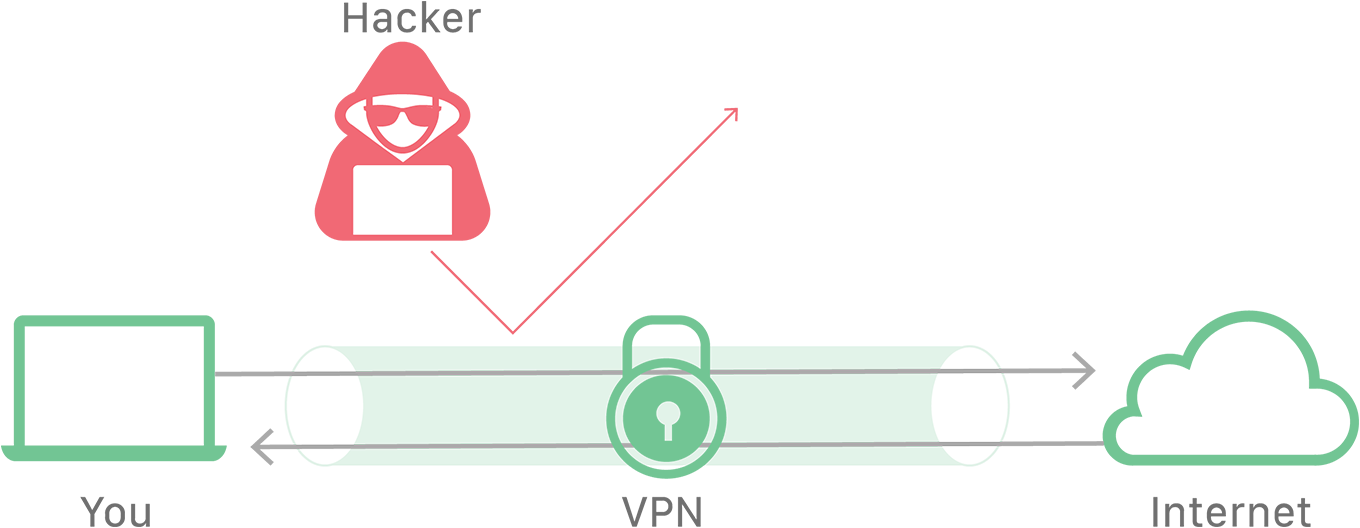
A VPN (Virtual Private Network) lets you use the internet as if you were plugged directly into a private network — even when you’re actually on public WiFi in a café. It does this by wrapping your traffic in an encrypted tunnel, which also hides your real location. Think of it as an armored, sealed pipe running through the public internet: data goes in one end and out the other, and nobody in between can peek inside.
People reach for a VPN for three main reasons: to stay safe on untrusted public WiFi, to get around internet censorship, and — the one that matters most for DevOps — to connect securely to a company’s private network while working remotely.
Why a plain connection isn’t private
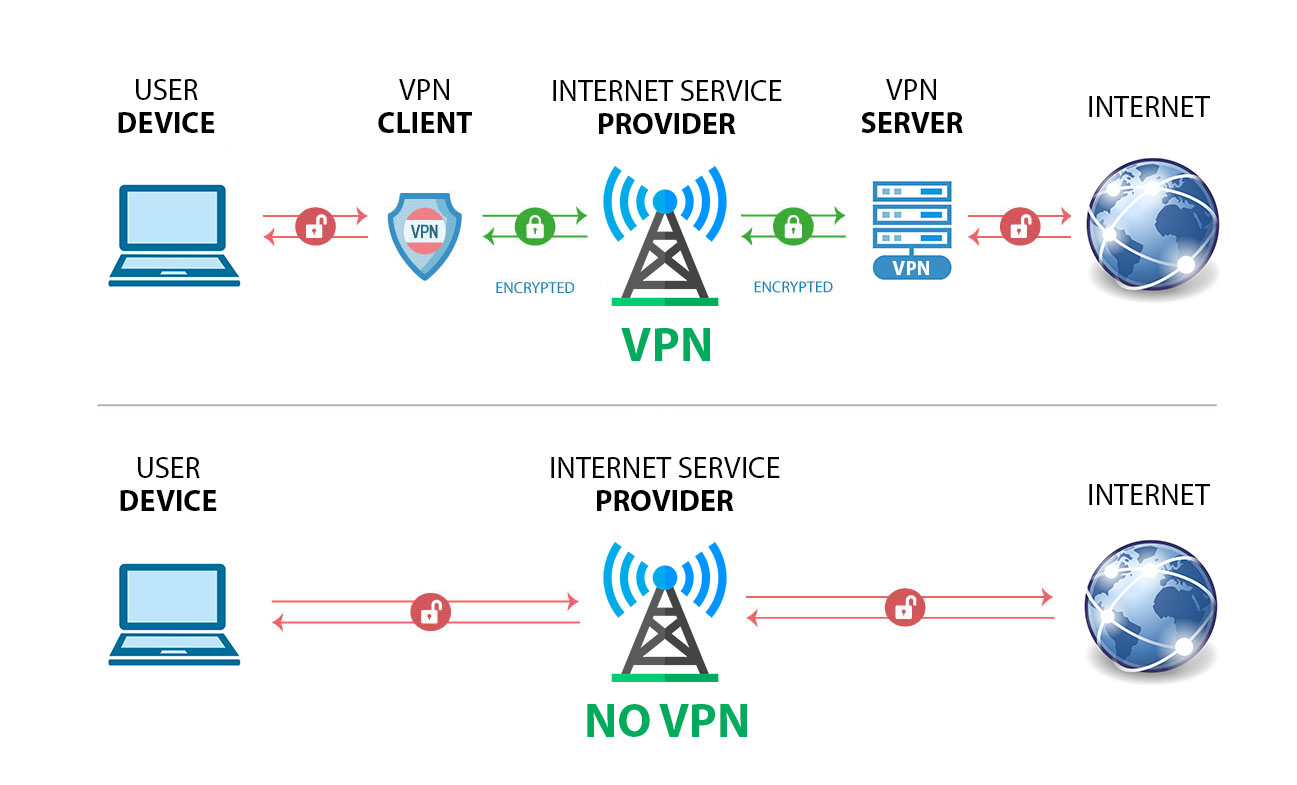
Most internet requests travel unencrypted. When you open a website, your device connects to your Internet Service Provider (ISP), and the ISP reaches out across the internet to the web server to fetch the page.
The problem is that your information is exposed at every hop. Because your IP address is visible the whole way, your ISP and any device in between can log where you go. And since the data itself isn’t encrypted, an attacker on the same network can read it or tamper with it — for example, an on-path (man-in-the-middle) attack.
How a VPN fixes it
When you connect through a VPN, your traffic is encrypted before it ever leaves your device. A VPN connection works in four steps:
- The VPN client opens an encrypted connection to the VPN server (through your ISP).
- The ISP passes that encrypted traffic along to the VPN server without being able to read it.
- The VPN server decrypts your request and connects out to the internet on your behalf.
- The encrypted path between your device and the VPN server is the VPN tunnel.
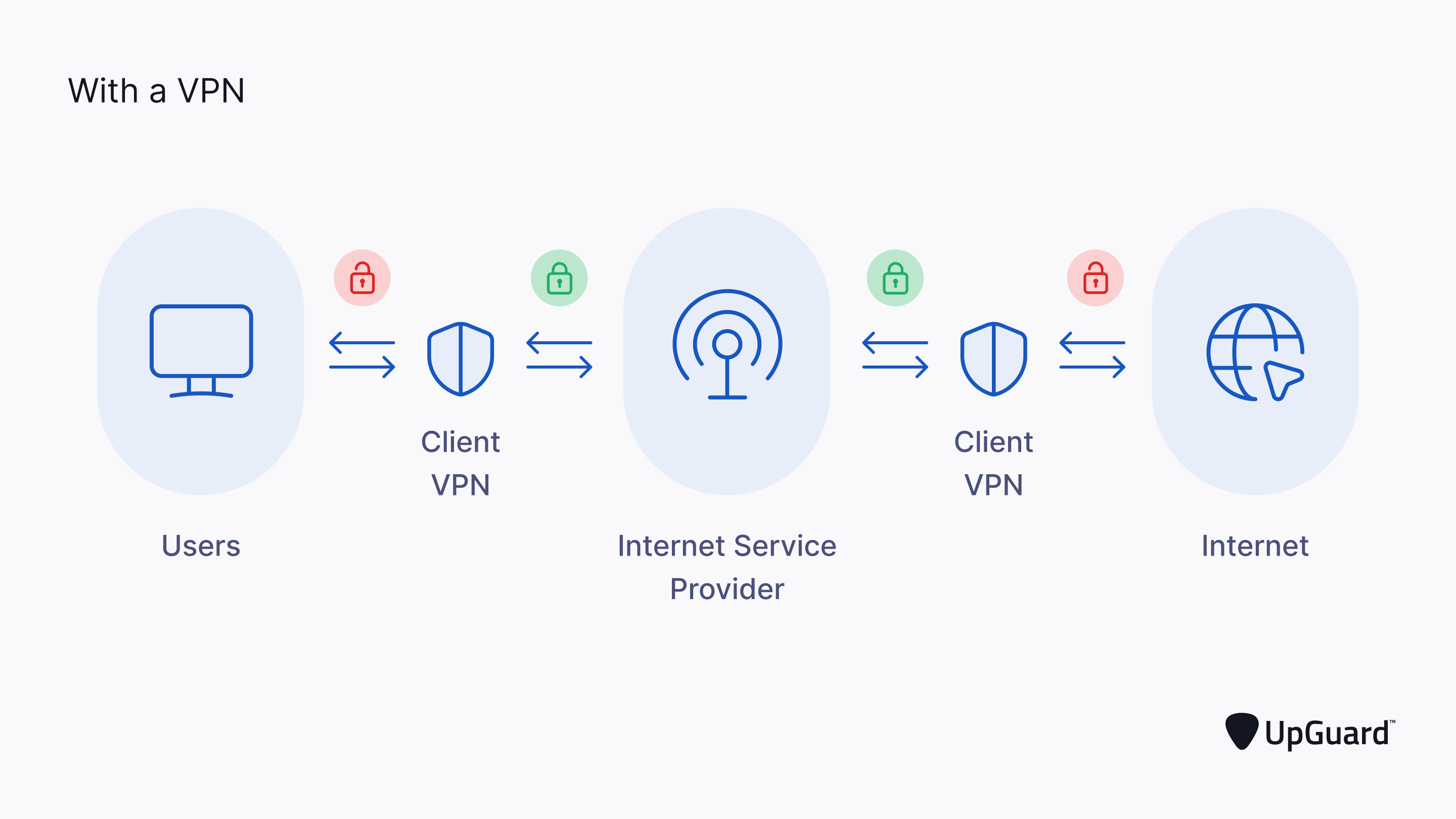
The tunnel still passes through your ISP, but because everything inside it is encrypted, the ISP can’t see what you’re doing. And the websites you visit only see the VPN server’s IP address, not yours — so your identity and location stay private.
In the final post of the series, we’ll get hands-on with the Linux networking tools you’ll use every day to test and debug all of this.