If an IP address is the street address of a building, a port is the apartment number inside it. A single server has one IP address but runs many services at once — a website, a database, an SSH login. Ports are how it keeps their traffic apart, so a request for the website doesn’t get delivered to the database.
A port is a virtual gateway where a network connection starts or ends, and each one is tied to a specific service. That’s why a web server “listens on port 80” while your database “listens on port 5432” — same machine, different doors.
Port numbers
Ports are numbered from 0 to 65535, and the range is split into three groups:
- 0–1023 — Well-known ports. Reserved for standard services. You’ll see these constantly.
- 1024–49151 — Registered ports. Used by specific applications and custom services.
- 49152–65535 — Ephemeral ports. Temporary ports your machine picks automatically for outgoing connections.
Some well-known ports worth memorizing:
| Port | Service |
|---|---|
| 22 | SSH |
| 25 / 587 | SMTP (email) |
| 53 | DNS |
| 80 | HTTP (web) |
| 443 | HTTPS (secure web) |
| 3306 | MySQL |
| 5432 | PostgreSQL |
| 6379 | Redis |
Where ports fit in
Ports live at Layer 4 (the Transport layer) of the OSI model.
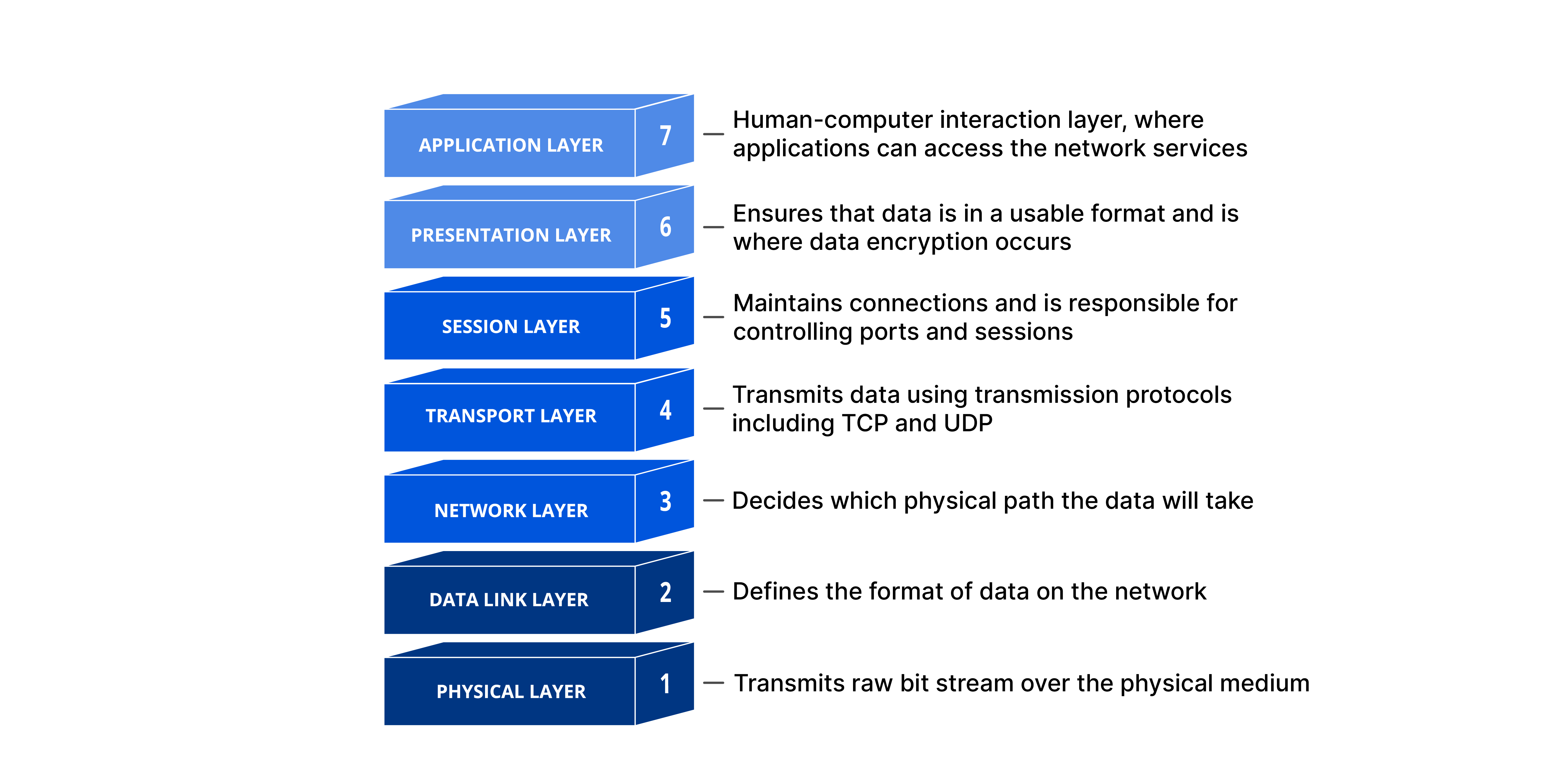
Here’s how it works together with the protocols from the last post: IP (Layer 3) gets the packet to the right machine using its IP address. Then TCP or UDP (Layer 4) looks at the port number in the packet’s header to decide which service on that machine should receive it. Address plus port — like building plus apartment — is what pinpoints an exact destination.
In the next post, we’ll go back to Layer 3 and learn how IP addresses are organized and divided with subnetting.