This part covers a very important topic: how to design networking for many different AWS accounts. When we use AWS, most of the resources we create live inside an Amazon Virtual Private Cloud (VPC) — this is the most fundamental building block when working with networking on AWS. Some important questions we need to answer when designing networking across multiple AWS accounts are: How do we choose the VPC CIDR block? Should we create the VPC in a single account, or create multiple VPCs across different accounts? How do we design VPCs and subnets? And how do we connect many VPCs together?
Choosing the VPC CIDR block
This is a very important step — if you choose wrong, you’ll suffer for it later. AWS recommends creating CIDR blocks per RFC 1918:
- 10.0.0.0 – 10.255.255.255 (10/8 prefix)
- 172.16.0.0 – 172.31.255.255 (172.16/12 prefix)
- 192.168.0.0 – 192.168.255.255 (192.168/16 prefix)
An AWS VPC supports blocks between /16 (65,536 IP addresses) and /28 (16 IP addresses) — for example 10.1.0.0/16 or 172.30.0.0/16. One thing to watch out for when choosing CIDR blocks is avoiding conflicts with certain AWS services; for example, AWS Cloud9 and Amazon SageMaker often use the block 172.17.0.0/16.
Next, we need to consider the CIDR blocks of the on-premises infrastructure in advance. Every bank has on-premises infrastructure, and when we deploy new services to the cloud, connecting on-prem and cloud is something we will certainly have to do. AWS offers Direct Connect to connect on-prem and cloud infrastructure, and to connect via Direct Connect the CIDR blocks of on-prem and cloud must be different. So when picking CIDR blocks for the VPC, we must avoid overlapping with the on-prem CIDR blocks.
Finally, choose a reasonable range. For example, if we need a VPC to deploy about 3 AWS Application Load Balancers, each ALB using 3 IPs — 9 IPs total — then we don’t need a CIDR block as large as /16 (65,536 IP addresses). But don’t go too small either: a /26 gives only about 60 usable IPs, and if we need to deploy a microservices system reaching hundreds of IPs, a /26 won’t fit. Below, I’ll show how, depending on the VPC’s purpose, we can estimate a suitable number of IPs.
VPCs across multiple AWS accounts
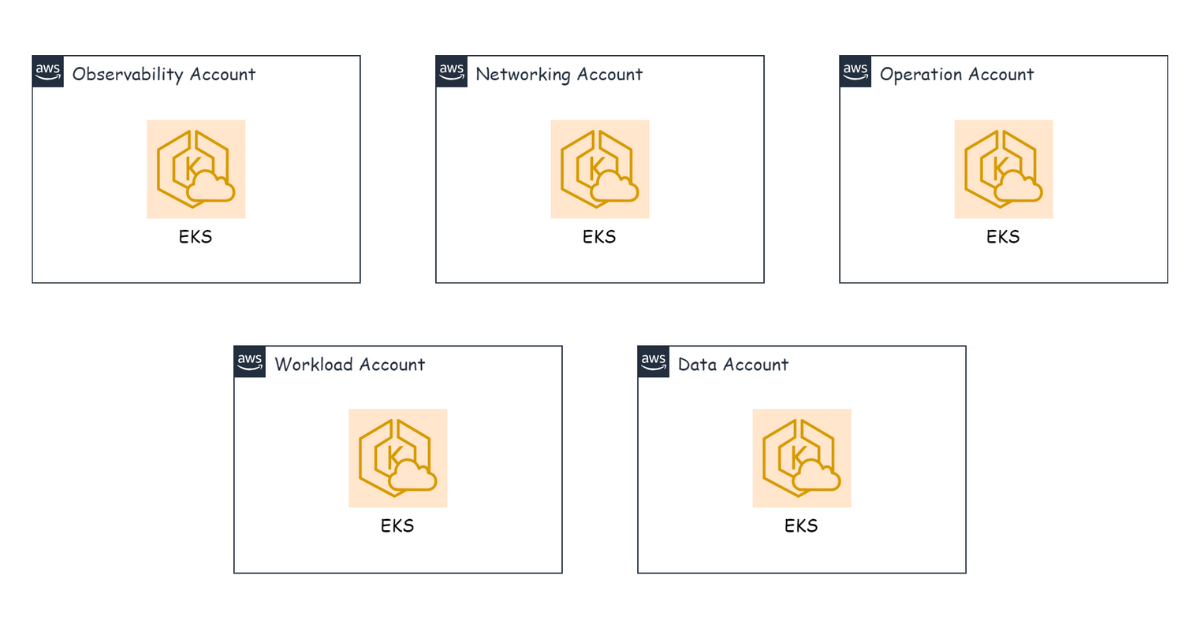
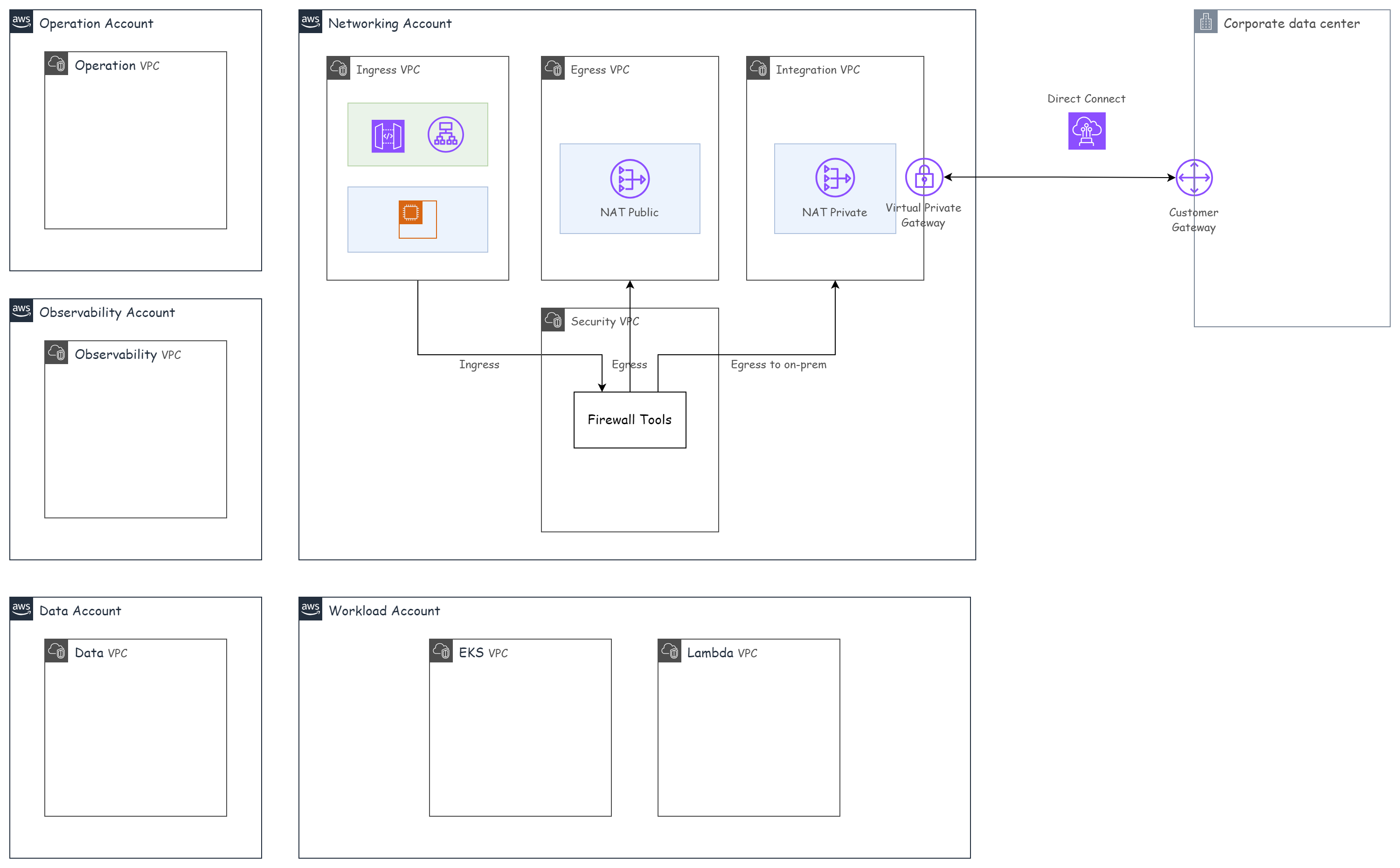
In AWS, a VPC is a resource tied to a single account — meaning that when we create a VPC, only one account can use it. So for an environment where we need VPCs to communicate across different accounts, what do we do? Take the nonprod accounts from the AWS Account Management part as an example:
- networking-nonprod
- workload-nonprod
- operation-nonprod
- observability-nonprod
- data-nonprod
There are two ways to design VPCs across multiple AWS accounts:
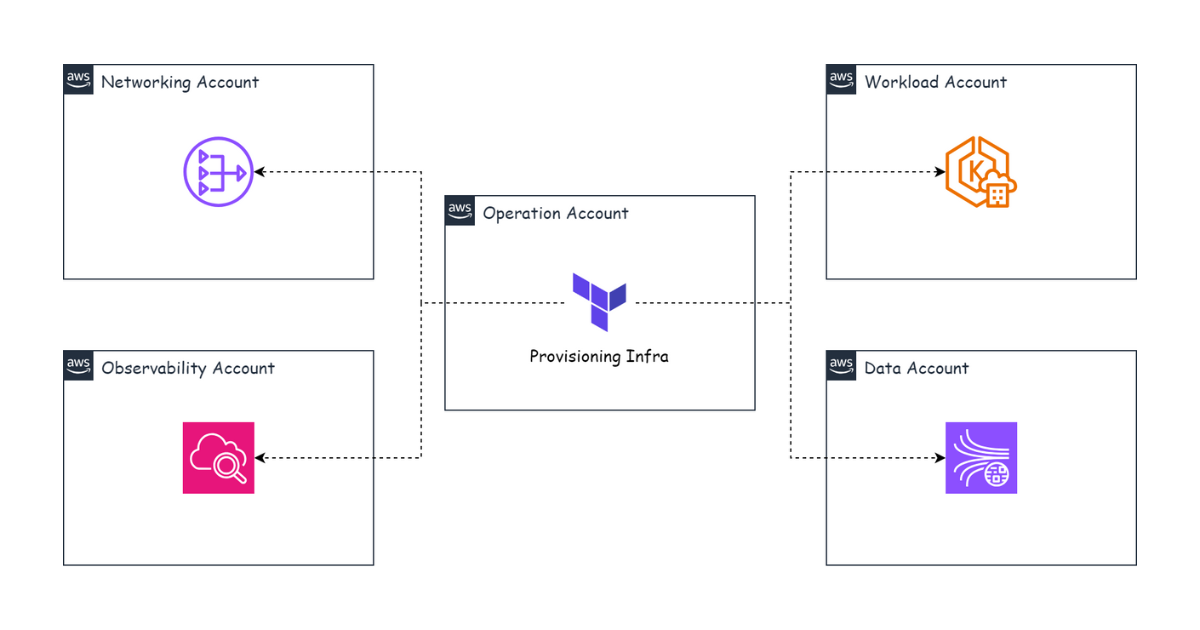
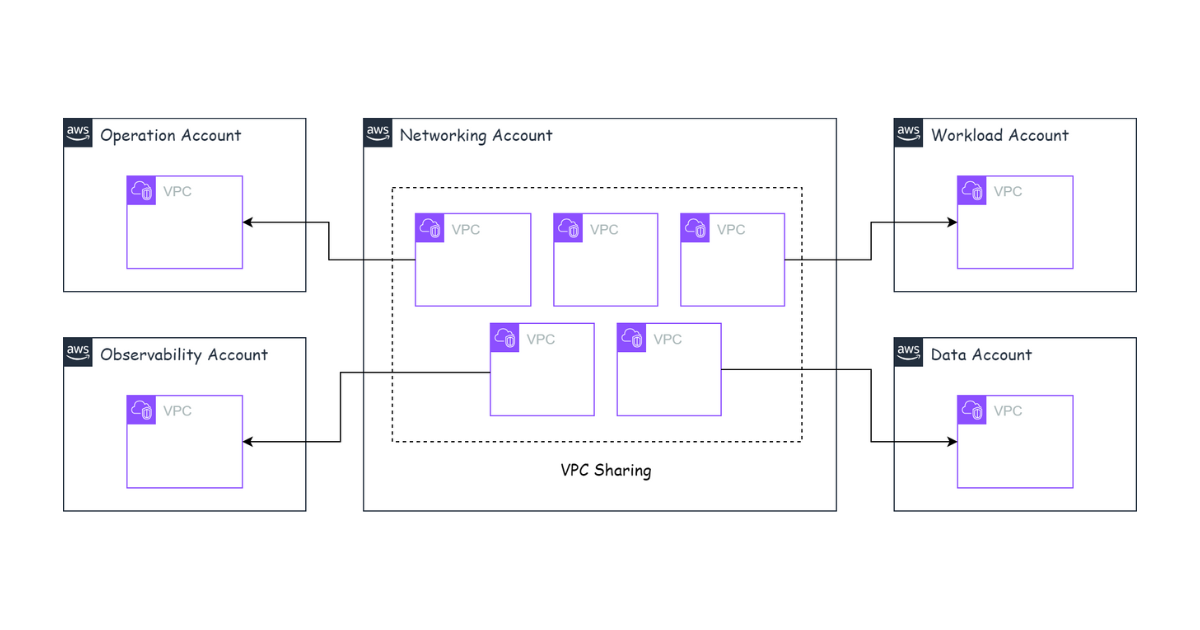
- Create all VPCs in the networking-nonprod account and use VPC Sharing to share them with the other accounts.
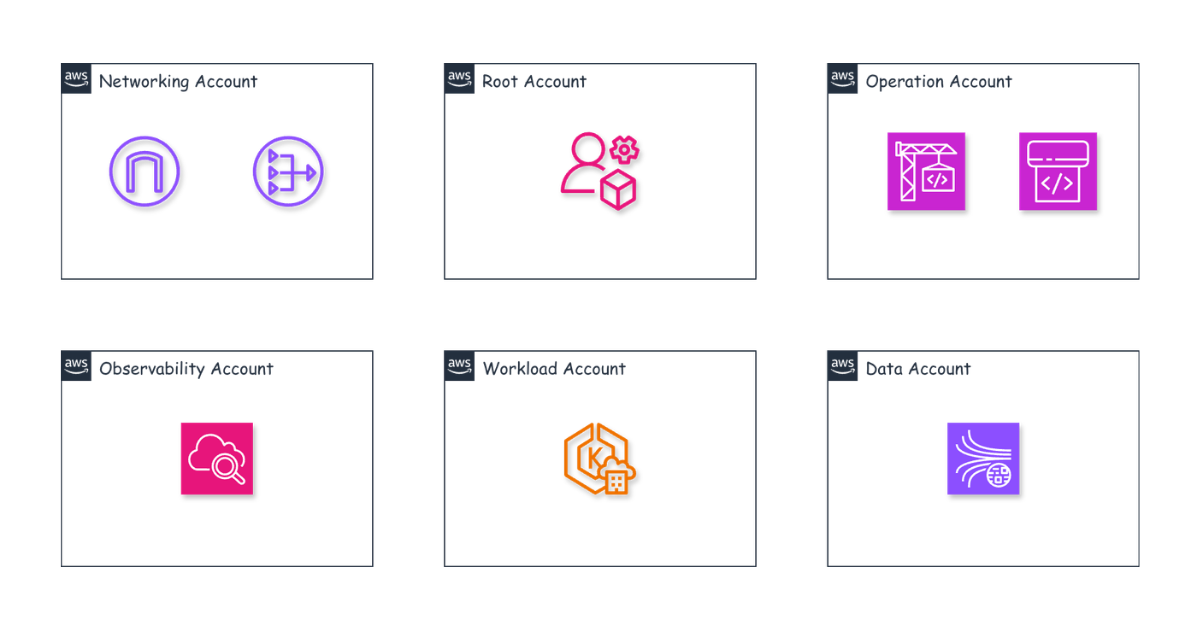
- Create a separate VPC in each account.
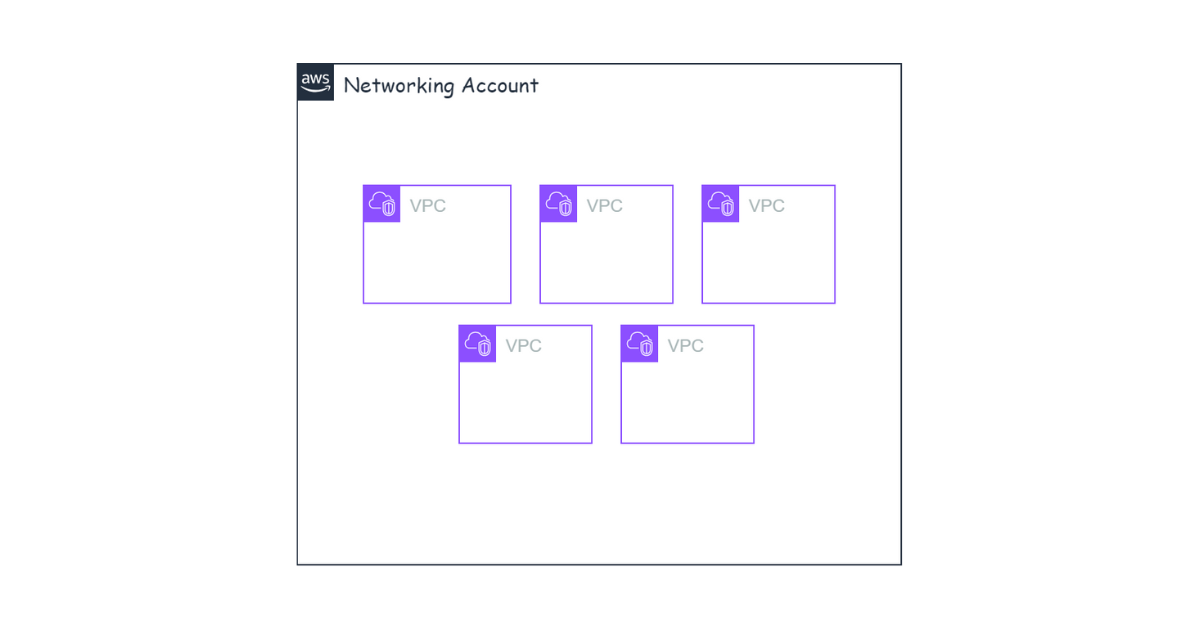
With the first approach, we create all the necessary VPCs in the networking-nonprod account.
Then we use VPC Sharing to share the VPCs with the other accounts.
With the second approach, we create a separate VPC in each account, without putting everything in the networking-nonprod account.
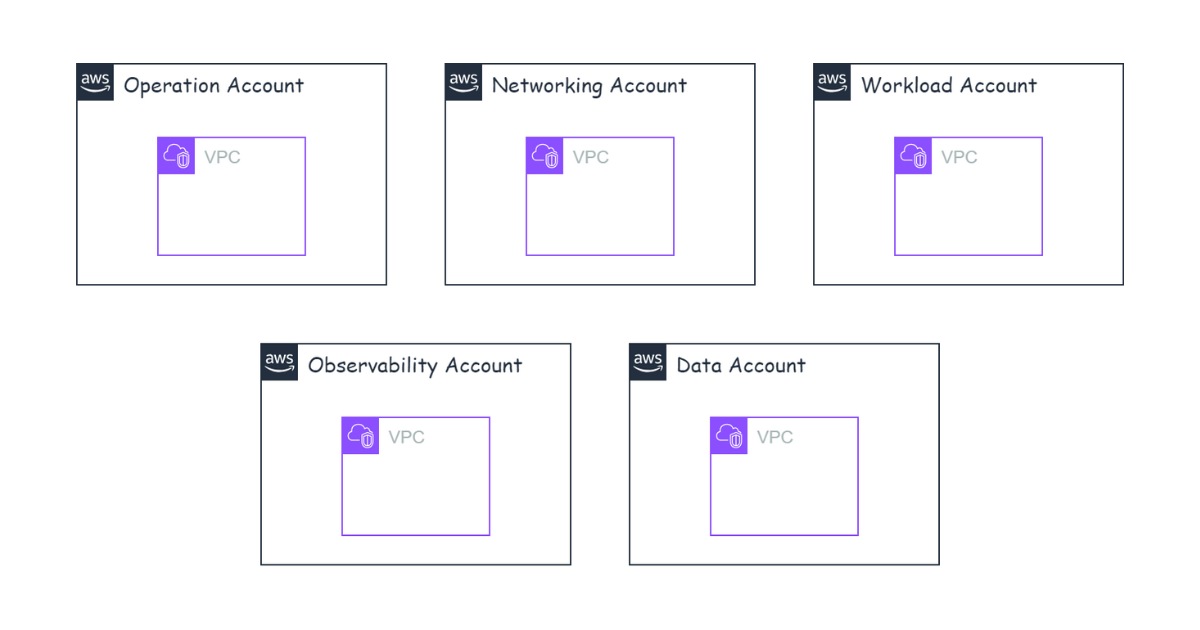
With this approach, each account manages its own VPC. Both approaches have their own pros and cons.
With the first approach, we can easily manage everything in the networking account — from the VPC to route tables, NAT, and Transit Gateway. The other accounts simply use the shared VPC. The downside, however, is that you can only share with accounts in the same AWS Organization. If we need to move the non-networking accounts to another Organization to take advantage of a new account’s credit offers, splitting off the Organization becomes very difficult because all resources live inside the networking-nonprod VPC. And if the other Organization already has a networking account, we may have to recreate resources.
The second approach makes it easy to split off an Organization because each account has its own VPC. We just leave the old Organization and join the new one. However, configuring networking and routes is harder because we have to switch between different accounts. It depends on your situation which approach you choose. We use Terraform to provision infrastructure, so configuration is very easy — therefore the Vikki infrastructure uses the second approach.
Designing VPCs and subnets for the Networking account
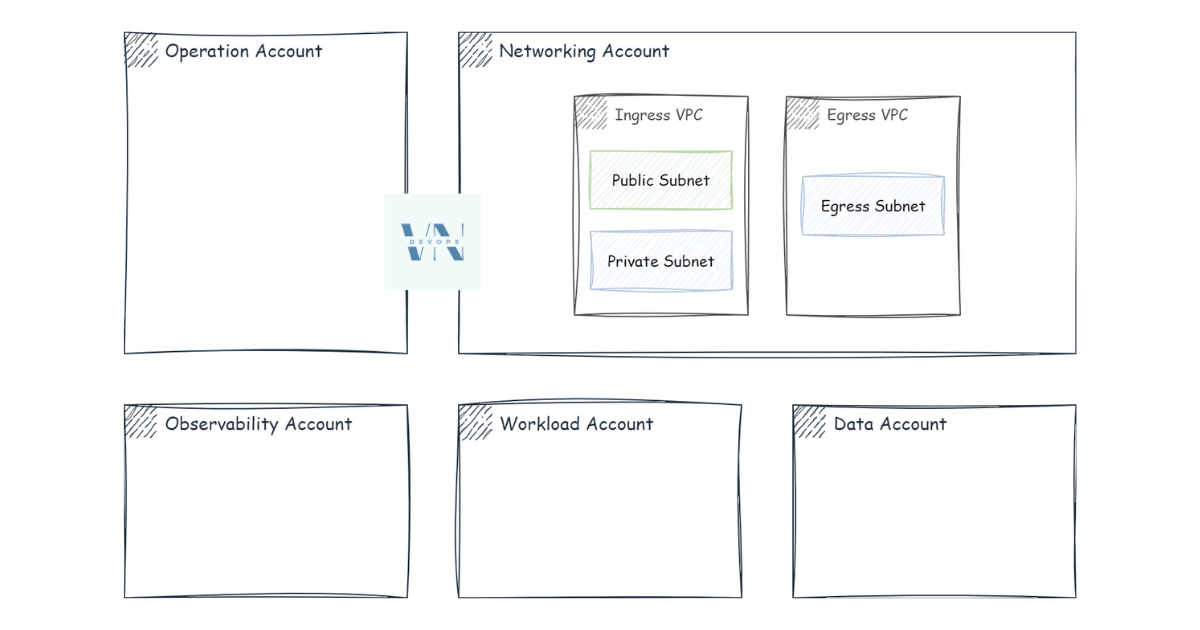
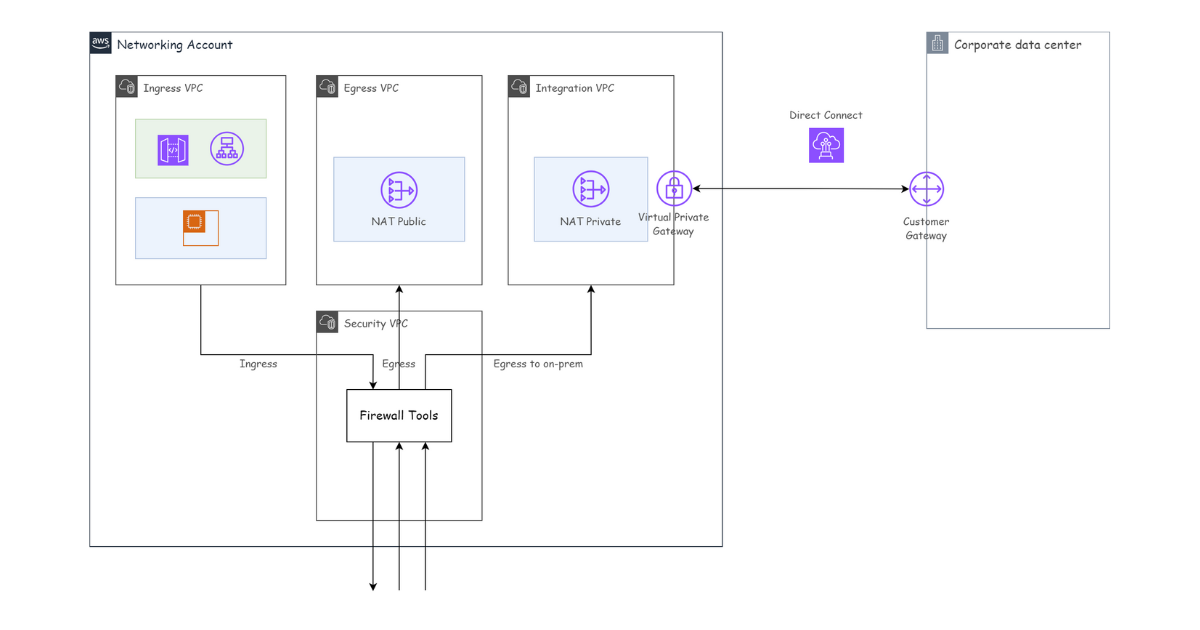
For VPC and subnet design, we look at the function of each account, name VPCs after those functions, and split subnets accordingly. For example, in networking-nonprod we need to control inbound and outbound traffic, so we create two VPCs: nonprod-ingress and nonprod-egress.
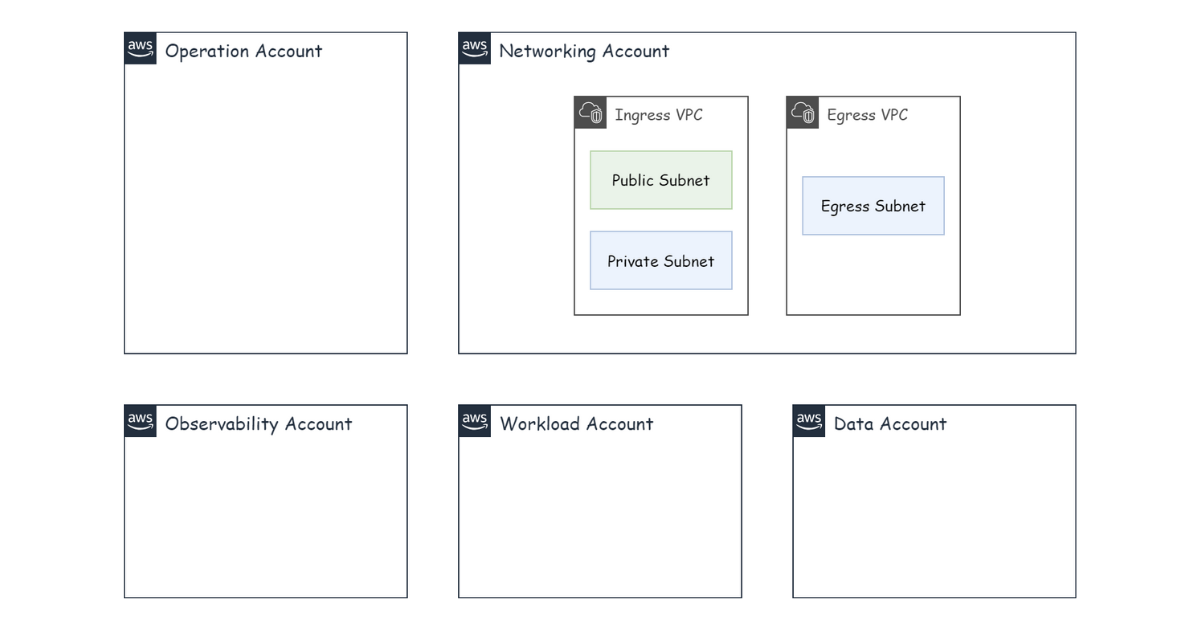
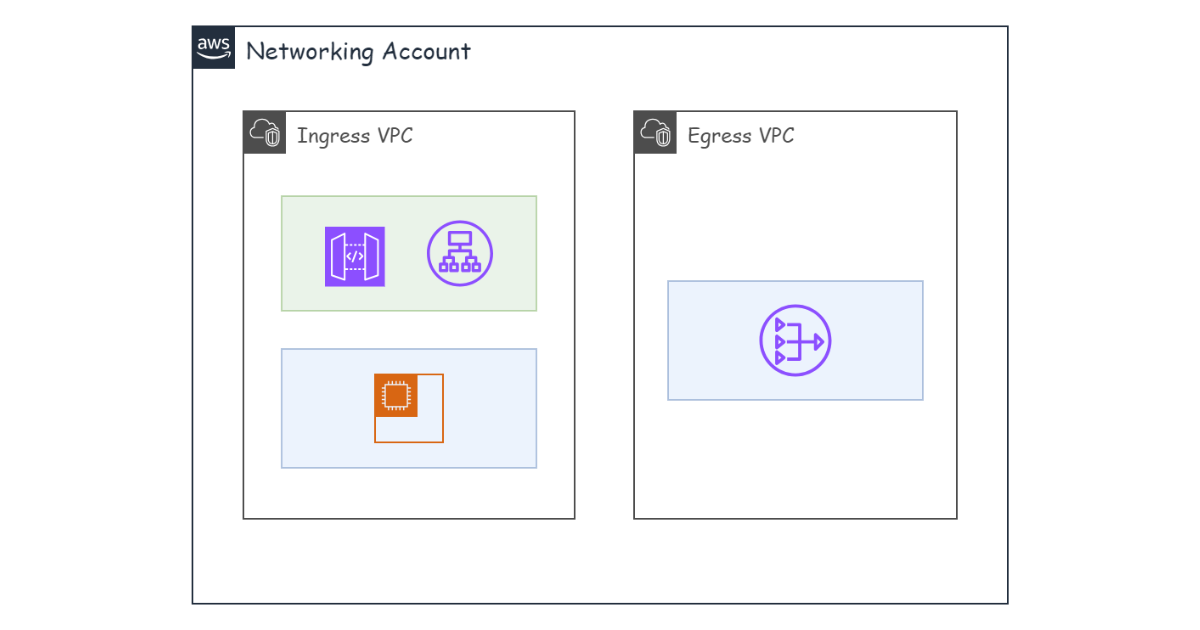
The nonprod-ingress VPC is where traffic enters our system. The public subnet of nonprod-ingress is typically used to deploy AWS Application Load Balancers, Network Load Balancers, and public-facing AWS API Gateways, and we then point DNS at these components. The private subnet is used to deploy proxies whose purpose is to route requests to other VPCs.
All traffic going out to the internet must pass through nonprod-egress. The egress subnet typically deploys an AWS NAT Gateway to route requests out to the internet.
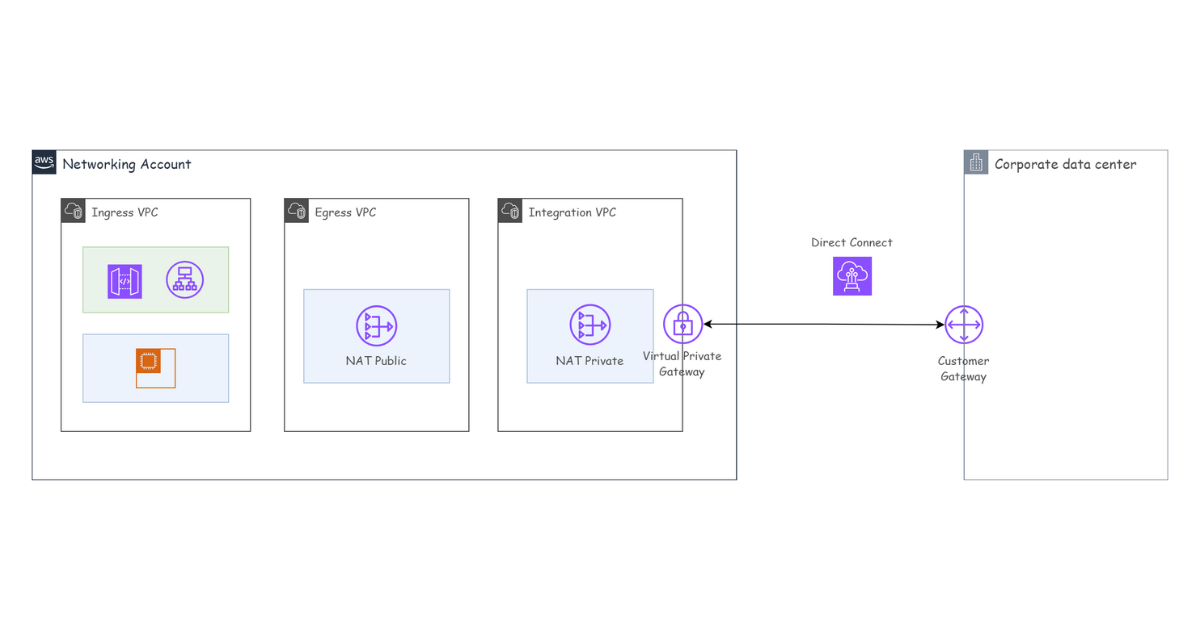
If we need to connect to other systems or to on-prem infrastructure, we create an additional VPC named nonprod-integration and then set up AWS Direct Connect to connect with on-prem.
For the production environment, which requires high security, we need to create a VPC to deploy security tools such as firewalls and WAF, and route all requests through this VPC before they go anywhere. We can name this the Security VPC.
Designing VPCs and subnets for the remaining accounts
The remaining accounts can have a simpler VPC design, with the VPC named after each account or after its function. For example, the observability account in the prod environment might create three VPCs: a Monitoring VPC, a Logging VPC, and a Tracing VPC. In the nonprod environment, we can simplify by creating a single VPC named Observability VPC with a subnet for each function.
Connecting multiple VPCs together
Finally, a very important issue: how do we connect all the VPCs together? Use VPC Peering? Peering is only suitable when connecting 2 VPCs; for many VPCs we should use AWS Transit Gateway.
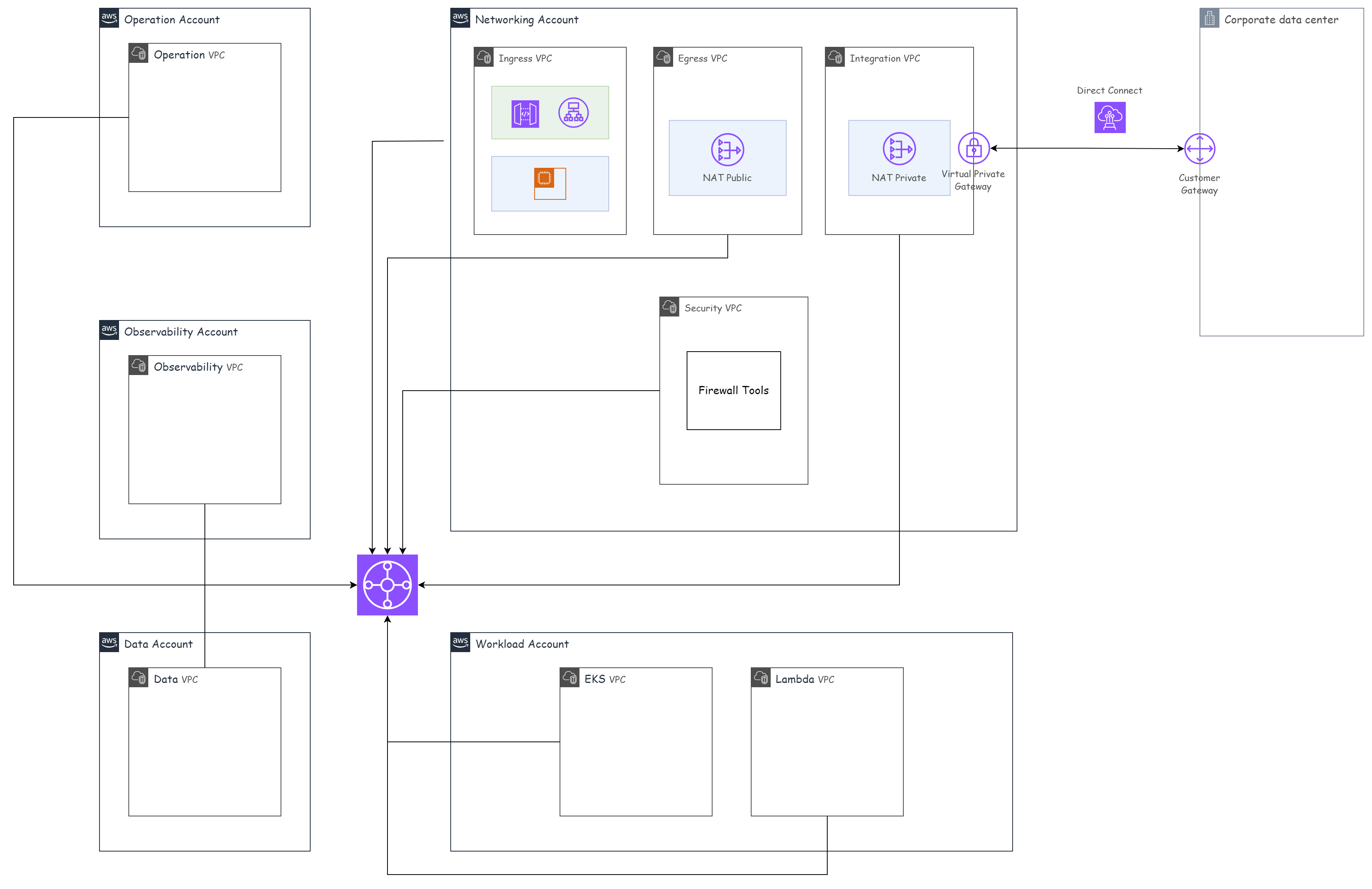
We route all requests that aren’t internal to a VPC out through the Transit Gateway. Then, at the Transit Gateway, we route requests to other VPCs through Transit Gateway Attachments. You can read more about this routing here: Centralized outbound routing to the internet.
In the next part, I’ll talk about EKS for multiple AWS accounts.