S3 (Simple Storage Service) is one of AWS’s oldest and most widely used services. In this post we’ll explore what makes it different from ordinary disk storage, why you’d reach for it, and some practical use cases and performance tips.
Before diving into S3, let’s look at the problems with traditional storage systems and how object storage solves them.
The Challenge
When developing an application, resources like images, videos, and customer data all need to be stored. Typically we create a virtual machine to run the app and also use it to store data — this is the most common approach.
With that storage approach, there are two challenges:
- How do we increase storage capacity once the disk is at its maximum?
- How do we keep the data-loss rate as low as possible?
The first challenge, if your app is deployed on a data center, isn’t simple. You have to add a larger disk, run commands to mount it to the server, then copy the old data over.
For the second challenge, you need to configure data backups and move them to another virtual machine. But there’s still no guarantee — the machine holding the backup could also die.
Distributed Data Store
To solve these two problems, the Distributed Data Store was developed. A distributed data store is a network of many computers, where each machine is a node, and data is stored across multiple nodes.
This way we can store almost unlimited data — we just add a node to increase capacity. And our data is always stored on more than one node, which minimizes the data-loss rate.
AWS provides a distributed data store solution called AWS Simple Storage Service (AWS S3).
AWS S3
S3 is a distributed-data-store storage service that’s very easy to use. Data in S3 is stored as objects, which is why it’s also called object storage.

S3 provides unlimited storage and a low data-loss rate. S3 can store many different types of data such as images, videos, JSON, or binary files — as long as a single file isn’t larger than 5 TB.
S3 Object Store
The traditional way to store data is as folders and files:
- A file represents the data
- A folder is a way to group related files together
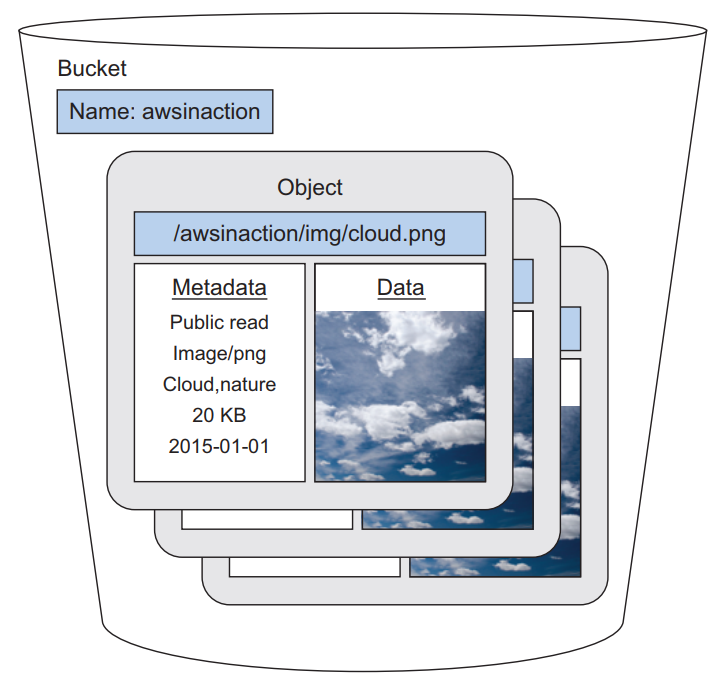
With object storage, the way data is stored is different. Data is stored as an object with 3 attributes:
- Globally Unique Identifier (GUID): identifies the object, similar to a file path on a computer
- File metadata: stores side information such as file type, size, creation date, etc.
- A data attribute that stores the data

Image from Amazon Web Services in Action, Second Edition
S3 Bucket
Just as a folder holds a group of files, a bucket holds a group of objects.
Use Cases
Some common S3 use cases:
- Storing user data such as images and videos
- Hosting static websites
- Backups
Hosting a Static Website
Normally, to host a static website, the first thing you do is create a virtual machine and install Apache or Nginx on it — quite time-consuming. S3 provides a feature to host a static website extremely fast.
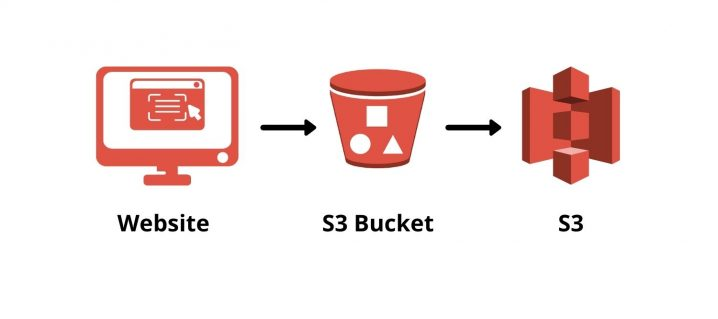
You just do the following simple steps. Create an S3 bucket:
aws s3 mb s3://scaleup-spa
Upload a file to S3:
aws s3 cp index.html s3://scaleup-spa/index.html
If you need to upload a folder:
aws s3 cp dist s3://scaleup-spa/ --recursive
Next, run the CLI command to update the S3 policy to allow external users to access it:
aws s3api put-bucket-policy --bucket scaleup-spa --policy file://bucket-policy.json
Contents of bucket-policy.json:
{
  "Version": "2012-10-17",
  "Statement": [
    {
      "Sid": "AddPerm",
      "Effect": "Allow",
      "Principal": "*",
      "Action": [
        "s3:GetObject"
      ],
      "Resource": [
        "arn:aws:s3:::scaleup-spa/*"
      ]
    }
  ]
}
Finally, enable static website hosting:
aws s3 website s3://scaleup-spa --index-document index.html
To access the website, use a URL in this format:
http://<bucket-name>.s3-website-<region>.amazonaws.com
The URL of the scaleup-spa bucket:
http://scaleup-spa.s3-website-us-west-2.amazonaws.com
Backups
This is another common use of S3. S3 is designed with durability up to
99.999999999%, which means if you store 100,000,000,000 files on S3, you might
lose only 1 file over the course of a year.
Typically we create a Linux cron job and use the CLI to sync data from local to S3. For example:
export BACKUP_FOLDER=dist
aws s3 sync $BACKUP_FOLDER s3://scaleup-backup/dist
To restore data, we just download it from S3 to the server:
export LOCAL_PATH=restore
aws s3 cp --recursive s3://scaleup-backup/dist $LOCAL_PATH
Performance
Some tips to improve application performance when using S3.
CDN
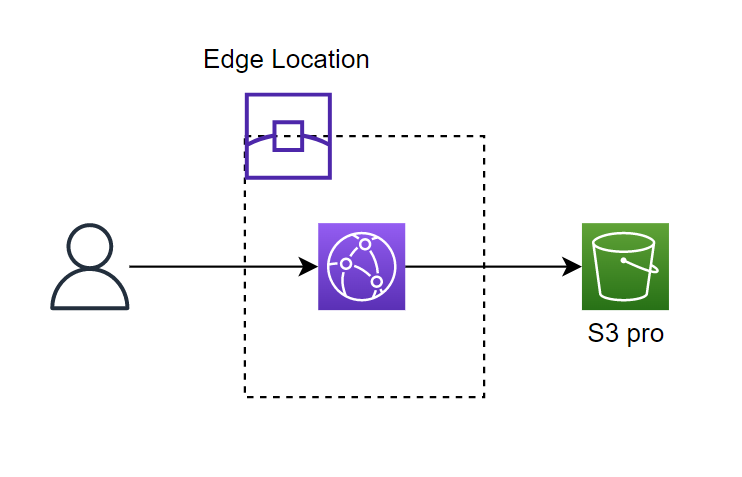
Instead of accessing the static website via the S3 URL, we can cache that content with a CDN and speed up page load for users. AWS’s CDN service is called CloudFront.
File Names
In S3, objects are stored in alphabetical order by file name (key). S3 uses the key to determine which partition the object is stored in. The important point: if you store objects whose keys start with the same characters, you’ll limit I/O performance.
For example, objects stored with keys like the following in S3 will limit I/O performance:
image1.png
image2.png
image3.png
image4.png

Fix it by prepending a random string to the key:
a17c3-image1.png
ff211-image2.png
l10e2-image3.png
rd717-image4.png
Stored this way, S3’s I/O performance will improve.
Conclusion
We’ve now covered S3 and why we should use it. As you can see, there are many benefits to using S3 compared to storing data on a disk.