In almost every application, the database is the most critical part. For a simple app, running a database yourself isn’t hard. But to serve millions of users, installing and operating a database cluster on your own — handling replication, backups, scaling, and failover — is far from easy. Where possible, it’s worth leaning on Amazon Web Services’ managed database services to do that heavy lifting for you.
AWS offers quite a few different database services, each suited to a different kind of workload. Let’s walk through them and see when each one is the right fit.
AWS Databases
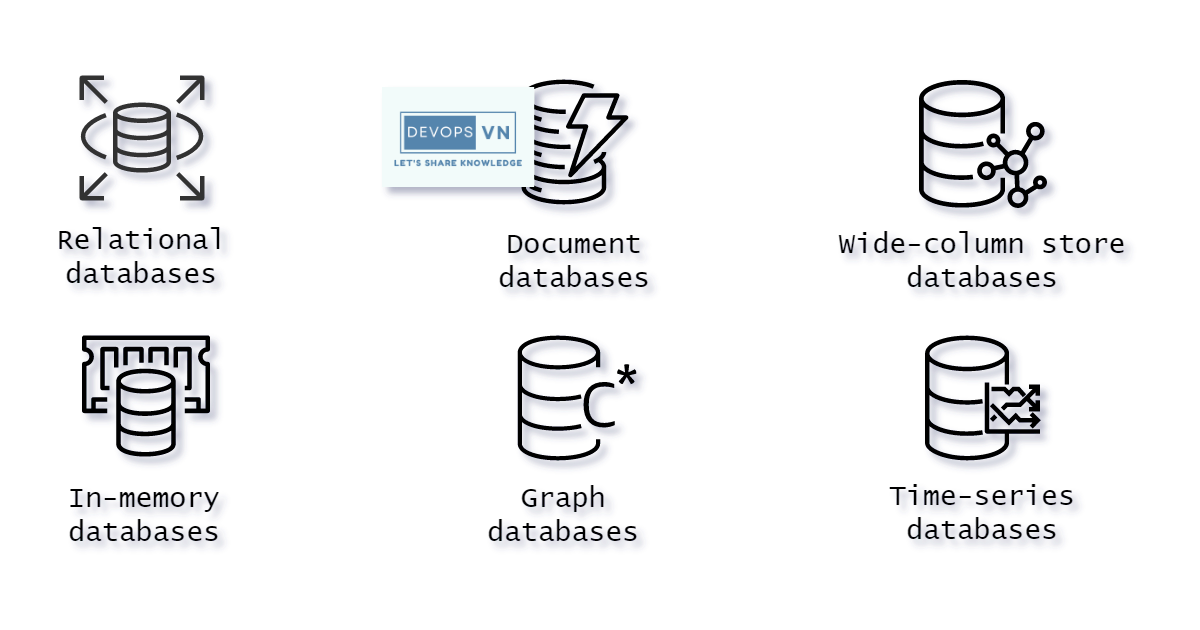
Databases on AWS come in the following types:
- Relational Database
- Document Database
- Wide-column store Database
- Indexing and search services
- In-memory Database
- Graph Database
- Time-series Database
Relational Database
This is a very familiar type of database. For it, AWS provides the Amazon Relational Database Service (AWS RDS).
Notable features of AWS RDS: easy to use, primary/replica mode to speed up database queries, high availability, high security, and more.
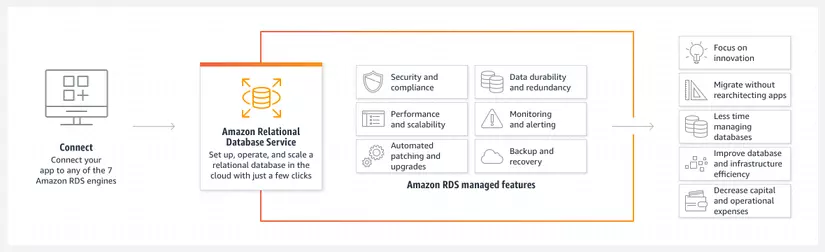
AWS RDS comes in 3 types:
- Community (Postgres, MySQL, MariaDB): Amazon provides RDS with three different open-source options — Postgres, MySQL, and MariaDB. These are very popular databases in the community.
- Aurora (Postgres, MySQL): a database AWS developed based on Postgres and MySQL. Aurora has superior features compared to using regular AWS RDS Postgres and MySQL, such as processing speed up to 5x faster than MySQL and 3x faster than regular Postgres.
- Commercial (Oracle, SQL Server): these two are a bit special. As you may
know, the relationship between AWS and Oracle isn’t exactly great
:))). But we can still use Oracle and SQL Server on Amazon.
Document Database
This type of database appeared after the relational database and is often referred to as a NoSQL Database. Data in a document database is stored as structured or semi-structured data.
For example, formats like Extensible Markup Language (XML), JavaScript Object Notation (JSON), or Binary JSON (BSON) — all common formats.
We typically use a document database for:
- Content management systems
- E-commerce applications
- Analytics
- Blogging applications
Not recommended for:
- Data with deeply nested relationships requiring complex queries
- OLTP applications
For document databases, AWS provides AWS DynamoDB.
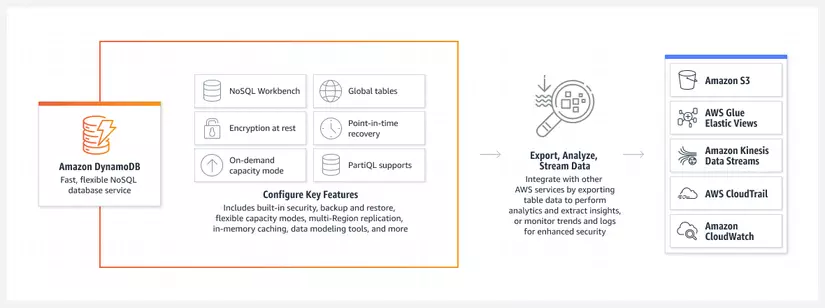
Some notable features of DynamoDB:
- Fast queries, down to microseconds when used with DynamoDB Accelerator (DAX)
- Can be deployed multi-region
- Multi-master
- Supports ACID transactions
Used well, DynamoDB can support up to 20 million requests per second.
Wide-column Store Database
This type may not be familiar to many people. A wide-column database is also a form of NoSQL database; the difference is that the data it stores can reach the scale of petabytes.
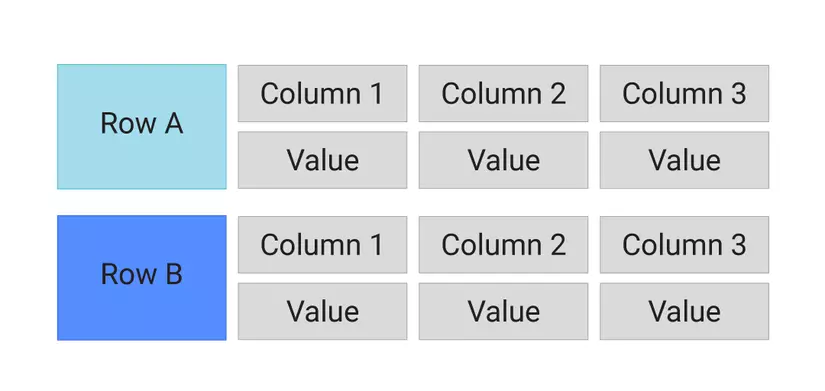
We typically use a wide-column database for:
- Sensor logs and IoT
- Logging applications
- Data that is written a lot but rarely updated
- Applications requiring low latency
Not recommended for:
- Applications requiring too many table joins
- Applications requiring continuous changes
- OLTP applications
For wide-column databases, AWS provides the Amazon Managed Apache Cassandra Service (AWS MCS, Amazon Keyspaces).
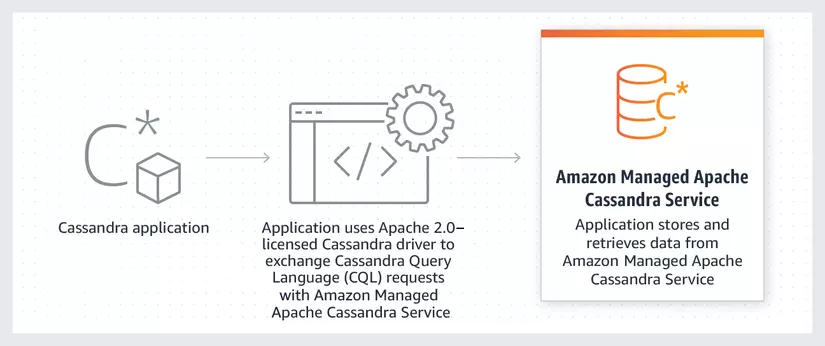
Some notable features of Amazon Keyspaces:
- Auto-scaling
- High availability
- Low latency
Searching Database
This type of database is specialized for search. Usually, when searching across a very large dataset, we don’t use a database like Postgres, MySQL, or MongoDB; instead, we store that data in a searching database and query it when searching. A very famous searching database is Elasticsearch.
For searching databases, AWS provides AWS OpenSearch.
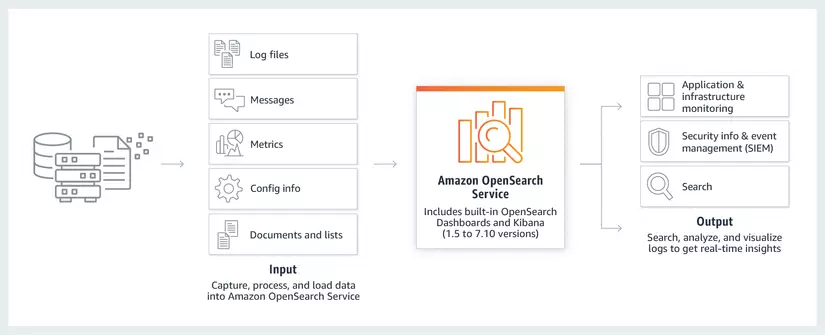
This is a service AWS developed based on open-source Elasticsearch.
In-memory Database
This type of database stores data in RAM instead of on disk, to speed up data access. When building an application with millions of users, we don’t just use a regular database — we also need to combine it with an in-memory database.
For example, when we run a complex, time-consuming query, instead of re-running it every time, we just store the query result in an in-memory database and retrieve it next time we need it. Some famous in-memory databases are Redis and Memcached.
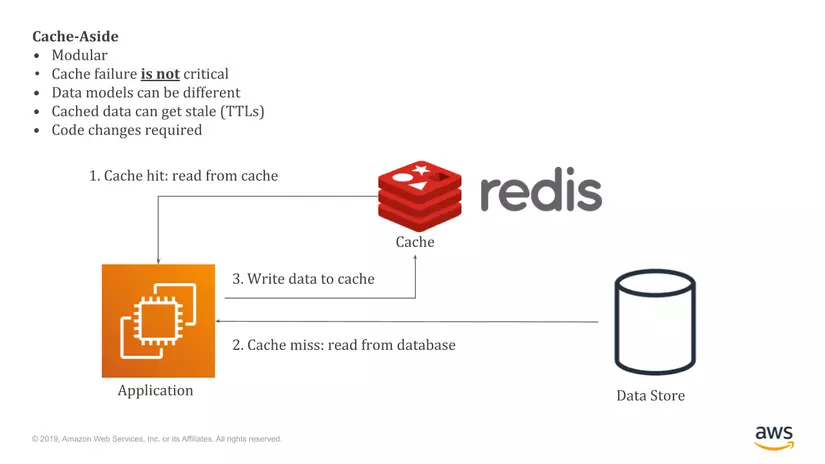
For in-memory databases, AWS provides AWS ElastiCache. AWS ElastiCache supports both Redis and Memcached.

Graph Database
We often hear the term GraphQL, but GraphQL is not a graph database. A graph database is a graph-form database, typically used when our data has fairly complex relationships with each other. For example, the friends and friend-suggestion features on Facebook could be implemented using a graph database.
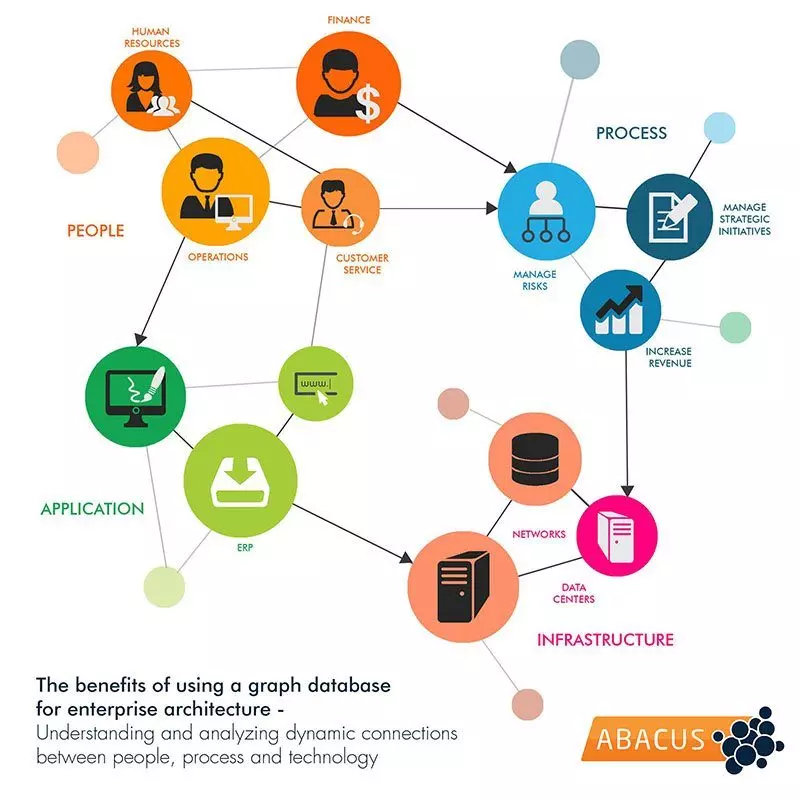
For graph databases, AWS provides AWS Neptune. Some notable features of AWS Neptune:
- Supports read replicas
- Backup using Amazon S3
- Point-in-time recovery
When using AWS Neptune, the tasks we’d usually do by hand — hardware provisioning, software patching, software setup — are handled for us by AWS.
Time-series Database
This type of database is designed to store event-style data. For example, Prometheus is also a form of time-series database, used to store data about the system’s state at a given point in time.
Typically, data in a time-series database is used to know what happened at a given moment and for how long.
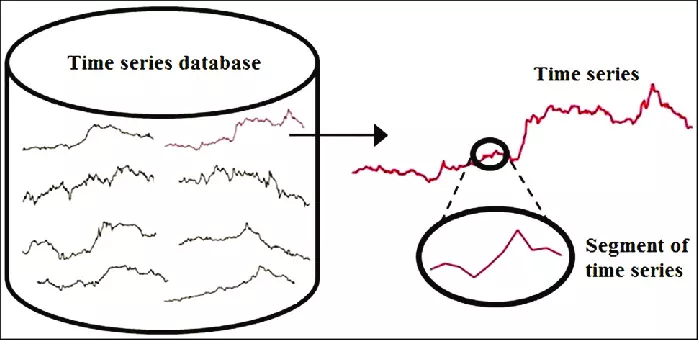
For time-series databases, AWS provides Amazon Timestream, launched in 2020 — though honestly, very few people know about this service.
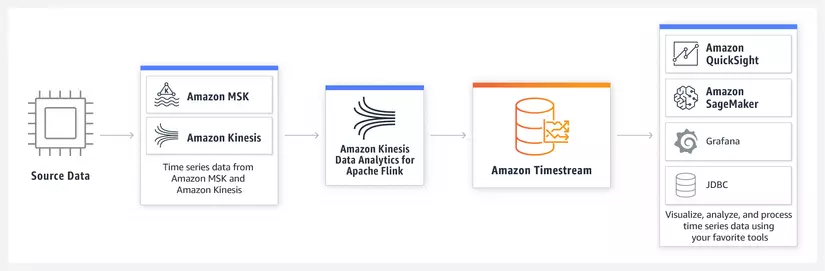
We can use Amazon Timestream in combination with other services like AWS Kinesis and AWS MSK to design an application with an event-driven architecture.
Conclusion
Above are the popular AWS database services that I’ve explored and heard about.