Welcome to the journey of mastering AWS CDK. In this first post we’ll learn what Infrastructure as Code (IaC) is, what AWS CDK is, and why we need it.
Infrastructure as Code
From the name “Infrastructure as Code,” we can simply understand it as writing code to describe and provision our infrastructure. In IT, “infrastructure” means the system’s infrastructure — servers, networking, gateways, databases, and everything needed to deploy our applications in a server environment. Infrastructure as Code is probably most commonly used in cloud environments.
For example, on AWS Cloud, we usually log into the Web Console and click around to create a virtual machine (EC2) or a database. Over time, our infrastructure grows, and that’s when problems appear. We won’t know exactly what our current system contains. Even if we remember it well, if the person managing the cloud leaves, the new person won’t know the current infrastructure. On top of that, if someone deletes our EC2, we have to recreate it by hand. We won’t know its configuration, and even with documentation, recreating it takes a lot of time. And if the whole cloud infrastructure gets deleted, do we have to rebuild the entire system from scratch? IaC solves these problems. We write code to describe and store our infrastructure. If something goes wrong — the infrastructure dies or someone misconfigures it — we can redeploy it easily.
AWS Cloud Development Kit
The AWS Cloud Development Kit (AWS CDK) is a framework for defining cloud infrastructure in code (IaC) and provisioning it through AWS CloudFormation. AWS CDK lets you develop AWS resources faster using your own development tools compared to using AWS CloudFormation alone.
Instead of writing thousands of lines of YAML with CloudFormation, just a few lines of AWS CDK code give you the corresponding infrastructure. You can choose a language you’re familiar with to build infrastructure on AWS. At the time of writing, AWS CDK supports the following languages:
- TypeScript
- JavaScript
- Python
- Java
- C#
- Go
In this series we’ll use Go. (CDK is on v2 and the AWS Construct Library is a
single module — aws-cdk-lib for TS/Python or awscdk/v2 for Go — so you get every
service from one import.)
Should You Use Terraform or AWS CDK?
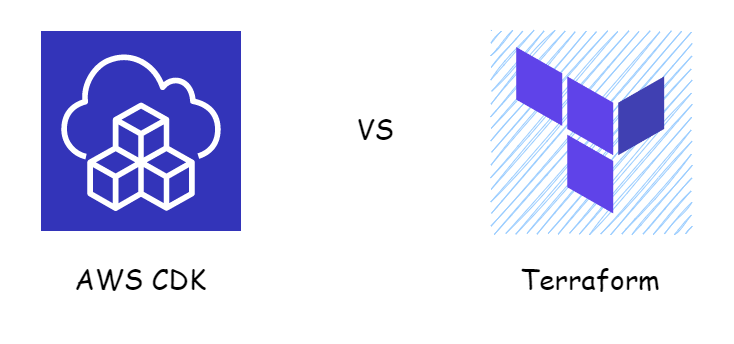
Both tools are excellent in the IaC space. Which one you use depends on you and your company. If you prefer coding in an imperative style, use CDK. If you prefer a declarative style, use Terraform.
Getting Started with AWS CDK
To follow this post you need an AWS account and an IAM user with Admin
permissions. Follow the steps here:
AWS CLI Configure Quickstart.
Once you have an access key, create a file named ~/.aws/credentials with the
following content:
[default]
aws_access_key_id=<your-key>
aws_secret_access_key=<your-key>
Then install Node.js. Verify the installation:
npm -v
Use npm to install the AWS CDK Toolkit:
npm install -g aws-cdk
Verify the installation:
cdk --version
Note: before using AWS CDK in a new account or region, we need to run bootstrapping so that CDK creates the resources it needs in that region for future deployments. Since this is the first time using CDK, run the bootstrap command:
cdk bootstrap
After CDK finishes, open AWS CloudFormation. You’ll see a stack named CDKToolkit. Everything is ready — next we’ll write code.
Hello CDK
In this example, we use AWS CDK to create an EC2 instance on AWS. The steps are:
- Initialize the app
- Write code
- Convert CDK into a CloudFormation template
- Deploy the EC2 instance with
cdk deploy - Delete the EC2 instance with
cdk destroy
Initialize the app
Create a directory named sample:
mkdir sample && cd sample
Initialize the app:
cdk init app --language go
go get
The --language part lets us choose the language for the app. The init command
creates the following files:
.
├── README.md
├── cdk.json
├── go.mod
├── sample.go
└── sample_test.go
We’ll write our code in sample.go.
Write code
Paste the following code into sample.go.
package main

import (
  "os"

  "github.com/aws/aws-cdk-go/awscdk/v2"
  "github.com/aws/aws-cdk-go/awscdk/v2/awsec2"
  "github.com/aws/constructs-go/constructs/v10"
  "github.com/aws/jsii-runtime-go"
)

type FirstAppStackProps struct {
  awscdk.StackProps
}

func NewFirstAppStack(scope constructs.Construct, id string, props *FirstAppStackProps) awscdk.Stack {
  var sprops awscdk.StackProps
  if props != nil {
    sprops = props.StackProps
  }

  stack := awscdk.NewStack(scope, &id, &sprops)

  vpc := awsec2.Vpc_FromLookup(stack, jsii.String("VPC"), &awsec2.VpcLookupOptions{IsDefault: jsii.Bool(true)})

  awsec2.NewInstance(stack, jsii.String("Server"), &awsec2.InstanceProps{
    InstanceType: awsec2.NewInstanceType(jsii.String("t3.micro")),
    MachineImage: awsec2.MachineImage_LatestAmazonLinux2023(),
    Vpc:          vpc,
  })

  return stack
}

func main() {
  defer jsii.Close()

  app := awscdk.NewApp(nil)

  NewFirstAppStack(app, "FirstAppStack", &FirstAppStackProps{
    awscdk.StackProps{
      Env: env(),
    },
  })

  app.Synth(nil)
}

func env() *awscdk.Environment {
  return &awscdk.Environment{
    Account: jsii.String(os.Getenv("CDK_DEFAULT_ACCOUNT")),
    Region:  jsii.String(os.Getenv("CDK_DEFAULT_REGION")),
  }
}
Don’t worry about understanding the code yet — I’ll explain it in later posts. In this snippet:
func env() *awscdk.Environment {
  return &awscdk.Environment{
    Account: jsii.String(os.Getenv("CDK_DEFAULT_ACCOUNT")),
    Region:  jsii.String(os.Getenv("CDK_DEFAULT_REGION")),
  }
}
We have two environment variables, CDK_DEFAULT_ACCOUNT and
CDK_DEFAULT_REGION. Configure them with your account ID and region, for example:
CDK_DEFAULT_ACCOUNT=12345678
CDK_DEFAULT_REGION=us-west-2
Convert CDK into a CloudFormation template
To convert CDK into CloudFormation, run:
cdk synth
Result:
Resources:
...
  Server7E7D21FA:
    Type: AWS::EC2::Instance
    Properties:
      AvailabilityZone: us-west-2a
      IamInstanceProfile:
        Ref: ServerInstanceProfileB511E411
      ImageId:
        Ref: SsmParameterValueawsserviceamiamazonlinuxlatestamznamihvmx8664gp2C96584B6F00A464EAD1953AFF4B05118Parameter
      InstanceType: t3.micro
      SecurityGroupIds:
        - Fn::GetAtt:
            - ServerInstanceSecurityGroup71D53DD9
            - GroupId
      SubnetId: subnet-bff4edc8
      Tags:
        - Key: Name
          Value: FirstAppStack/Server
      UserData:
        Fn::Base64: "#!/bin/bash"
    DependsOn:
      - ServerInstanceRole3D38A6B8
    Metadata:
      aws:cdk:path: FirstAppStack/Server/Resource
...
If you’ve used Terraform, you can think of this step like terraform plan —
previewing the resources that will be created.
Deploy
Deploy the infrastructure:
cdk deploy
Result:
FirstAppStack: deploying... [1/1]
[0%] start: Publishing ...:128937018484-us-east-1
[100%] success: Published ...:128937018484-us-east-1
FirstAppStack: creating CloudFormation changeset...

 ✅  FirstAppStack

✨  Deployment time: 222.92s
Open the EC2 Console and you’ll see the newly created EC2 instance.
Delete
To avoid getting charged, remember to delete the resources:
cdk destroy
Conclusion
We’ve now learned what IaC is and how to use AWS CDK. With CDK, we can create and delete resources easily. In the next post, I’ll say more about how to write the code.